

This tutorial will show you how you can easily creating drama with a soft spotlight lighting effect in photoshop. Here's the before and after example;

Let's get started!
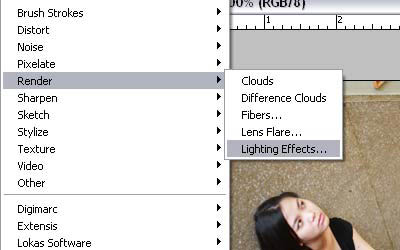
Step 1: Open your image, then choose filter>render>lighting effect
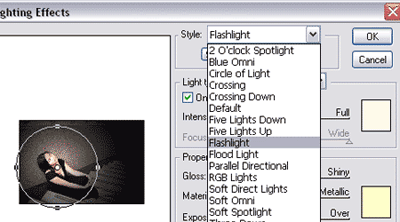
Step 2: Choose the flashlight from the dropdown menu that the top of the dialog.
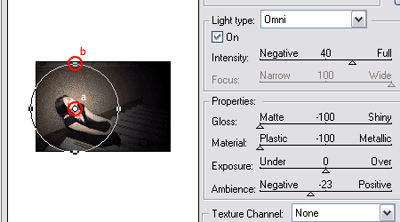
Step 3: Look at the small spotlight in the center of your image on your preview window. (a) Drag the center point into the position where you want it, also you can (b) adjust the circle of light so that they're larger/smaller by clicking on one of the side points and drag it outward/inward.
Step 4: Unfortunately there's no step 4. You're done!
