


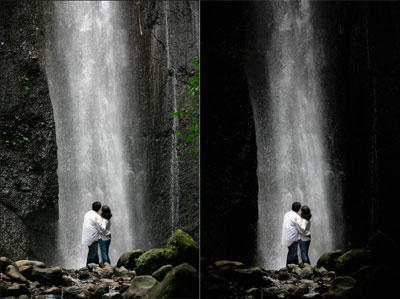
People have been using the burning technique to darken a particular area in a photograph since ages ago. I still remember my photography teacher taught me how to do this in our school's darkroom when I took photography class in high school. With Photoshop, now we can do this technique with 6 easy steps from our comfy bedroom.
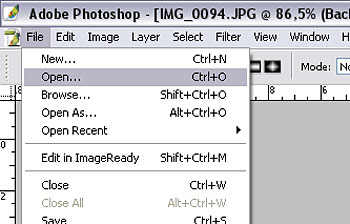
Step 1. Open up your file by go to file>open or ctrl +O
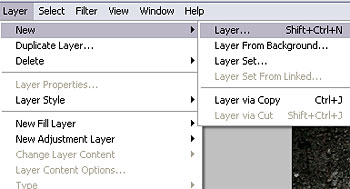
Step 2. Create new layer by go to Layer>New layer or Shift+Ctrl+N.
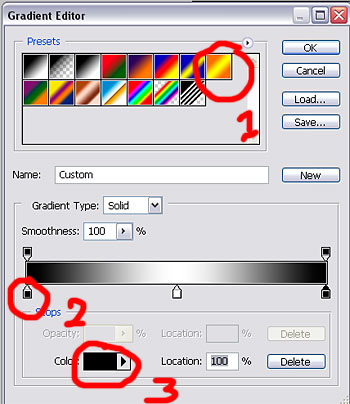
Step 3. Choose Gradient Tool, and edit the gradient
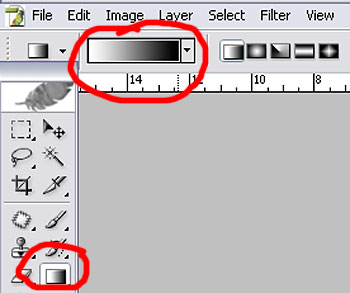
Step 4. Choose the orange-yellow-orange gradient, then change the colors to black-white-black by clicking on a little box then change the color in the color box.
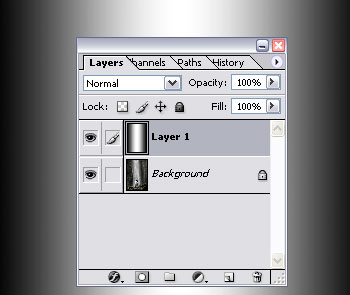
Step 5. Apply the gradient to the new layer
Step 6. Change the layer to 'linear burn' and adjust the fill and opacity of the layer.
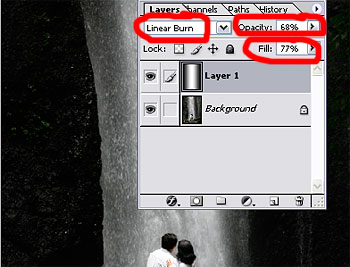
That's it, here's the before and after photo again
