

This easy photoshop tutorial will explain how you get isolated colors in a B&W photograph. I'm going to use this cute little fellow from Batu Caves, Malaysia.
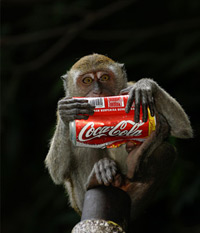
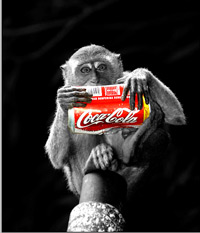
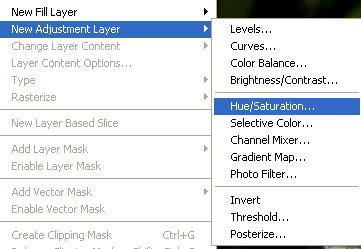
Open a photograph and apply New Adjustment layer - Saturation by clicking on layer -> new adjustment layer -> hue/saturation
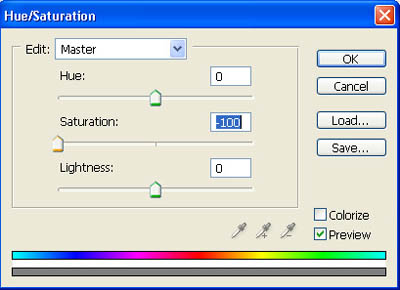
Enter -100 for the saturation value, to get a B&W picture.
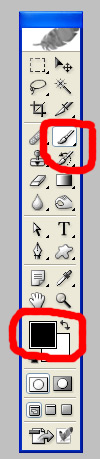
Use your brush, and make sure you've got your black for the foreground
Go to layer palette, and click on the color adjustment layer.
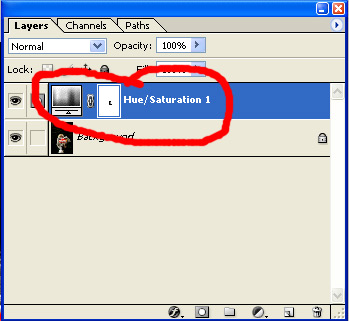
Start using your brush to get the effect you want...
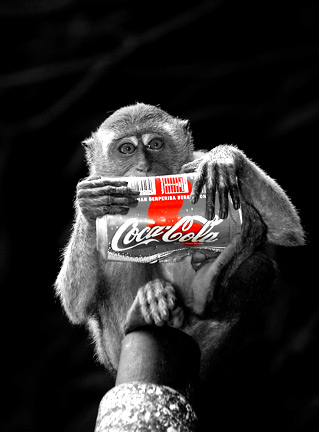
That's it, you're done! Here's what I come up with..
