Make some small dots to use on you interface.
1. Start by creating a new canvas, any size you want. Fill the canvas with a medium gray colour (I've used 150x50 and #bbbbbb).
2. Selct the brush tool and choose a hard, round 1 pixel brush.
Go to the Brushes palette and select the Brush Tip shape. Set the spacing to 900%.

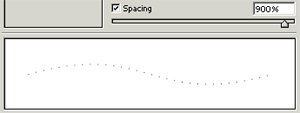
3. Create a new layer. Now hold down the Alt tag and draw a straight line with the brush.

4. For the final step we have to add some drop shadow to get the right effect. Go to Layer > Layer Style > Drop Shadow and use these settings.
Distance: 1
Spread: 0
Size: 0