


Open photo.
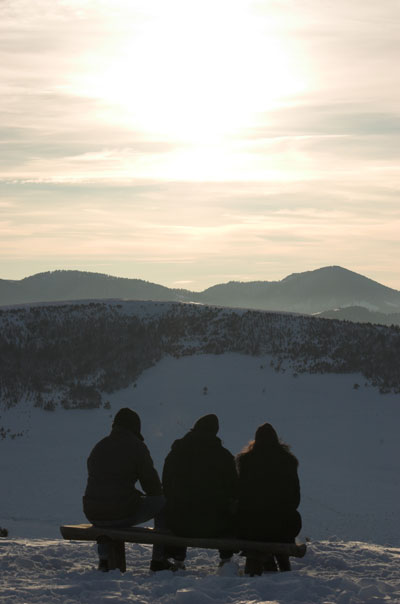
Copy background Layer (Ctrl + J). Name it copy.
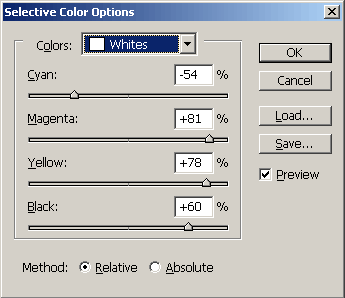
Now go to Create new adjustment Layer (it is in the Layer's palette). For the colors select white and move sliders until you get results that you want. I set the sliders like this
Now once again go to the Layers palette and click Create adjustment Layer and select Curves.
Change opacity to around 50%.
Now copy this adjustment Layer (curves) with Ctrl + J. Set the blend mode of that new Layer to Linear light and change opacity to some low value. I've set it to value of 30%.
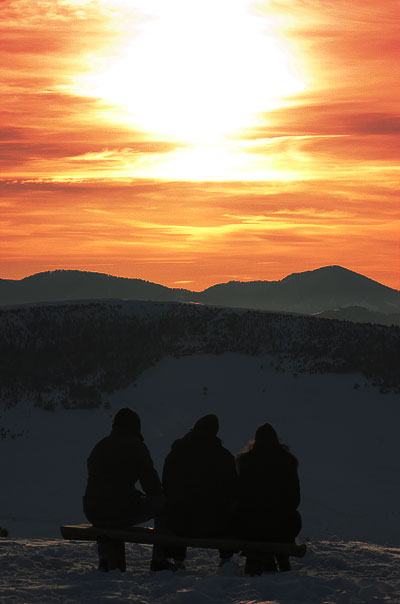
Flatten image, change the image size and apply Smart sharpen. And here is the final result.
Enjoy!
