
Step 1. Open original photo file for this tutorial.

Step 2. Pick up Measure tool (I)
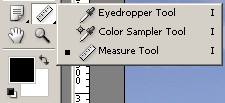
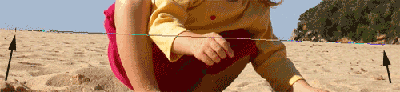
and draw a line over a horizon. The longer the better, because you'll find the right angle easier that way.
Step 3. Go to the Image - Rotate canvas - Arbitrary
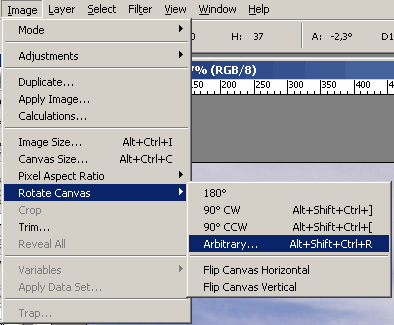
and just select CCW (Counter Clockwise).
Angle should be somewhere near the value I've got.
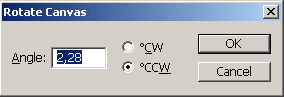
Click OK.
And this is the final picture (I used Smart sharpen just to sharpen it a little bit).

See you!
