Step 1. Make a new document and write your text on it.

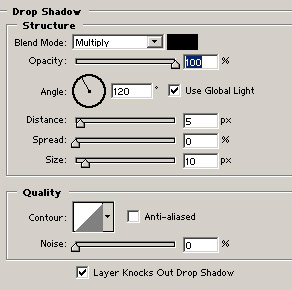
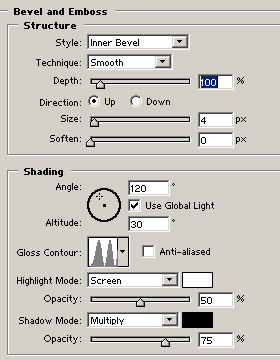
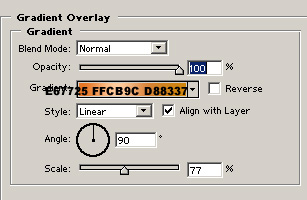
Step 2. Add the following layer settings:
Drop shadow:
Bevel and emboss:
Gradient Overlay:
Step 3. Now we need to make a selection of the text. While the text layer is selected press Ctrl+Click. Make a new layer and go to Image>modify>contract by 3 pixels. Now fill the selection with a grey color.

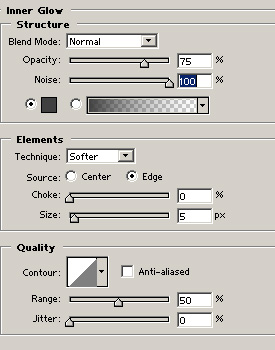
Final Step. Add a inner glow with the settings below :
And you are done ! This is my result:

 This post was written by owner of