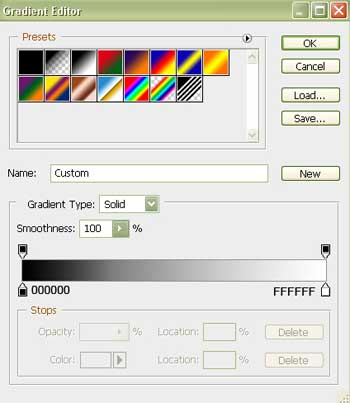
Gradient' s parameters:
We should merge down all the layers composing the eye in a group now.
Make a copy of this group and apply Free Transform selection to increase it a little.
Place the eye's pupil and the flare in the central part like it is demonstrated in the picture from below:

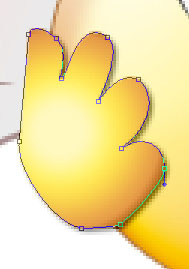
Select the next tool  to draw the silhouette of the other hand.

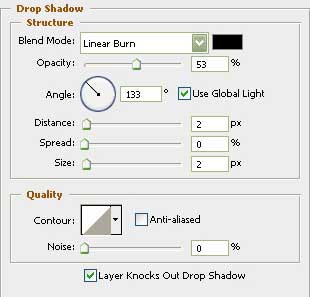
Blending Options-Drop Shadow
Blending Options-Gradient Overlay
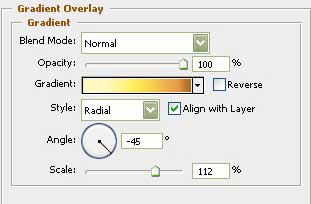
Gradient's parameters:
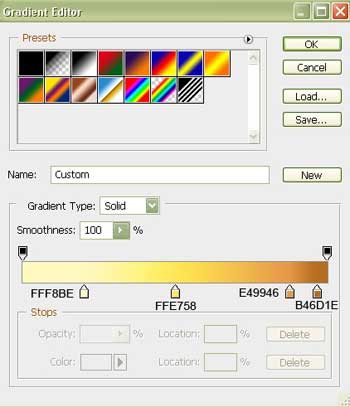
Select the used before instrument  and draw a circle.

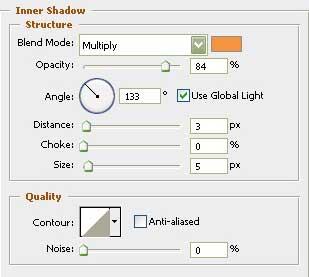
Blending Options-Inner Shadow
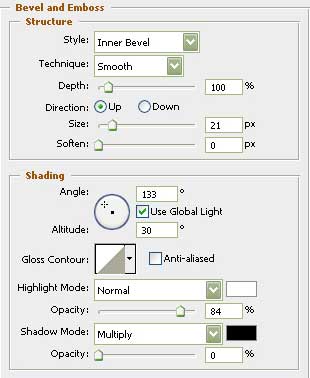
Blending Options-Bevel and Emboss
Blending Options-Gradient Overlay
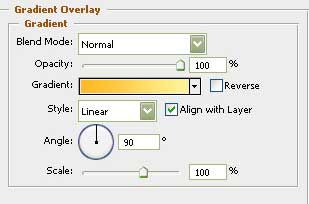
Gradient's parameters:
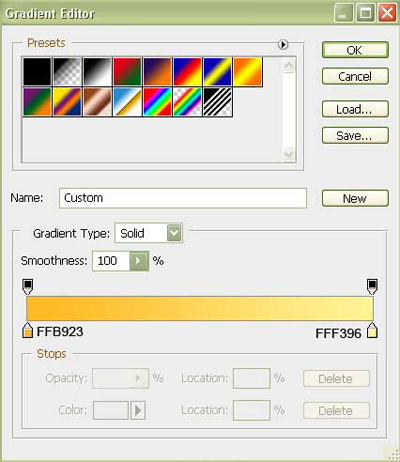
Blending Options-Stroke
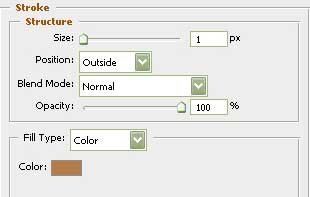
Make a copy of the new made layer and make use of the Free Transform option to increase it a little and place it the way you may see below.

Using the last instrument, it's possible to draw one more circle.

Blending Options-Gradient Overlay
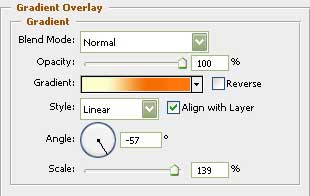
Gradient's parameters:
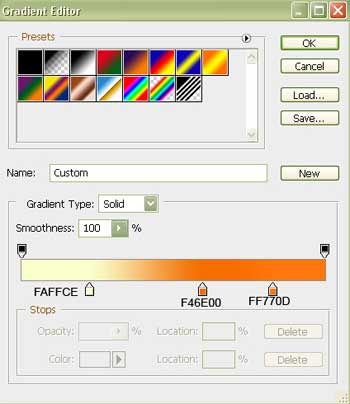
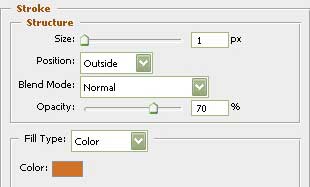
Blending Options-Stroke
Make a copy of the new represented layer and make use again of the Free Transform option to minimize it a little and place it the way you may see below:

Select the next instrument and create an ellipse colored in this shown color – FFFFD1.

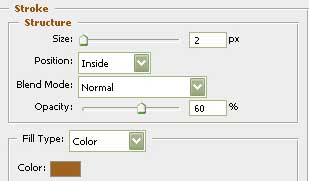
Blending Options-Stroke
Make two copies of this new made layer and apply again Free Transform option to make the changes in the ellipses' sizes. Place everything the same way it is demonstrated here:

For your convenience, now we should merge down all the layers containing those three recently made ellipses in a group.
Make a copy of this group and use Free Transform option to minimize it a little and place it the same way it is shown here.

The final result is this one!
