

In this quick and easy tutorial I will show you guys how to get a neato text perspective effect.
By the way - this can be done with shapes too. Feel free to experiment.
Kind of like this:

Step 1:
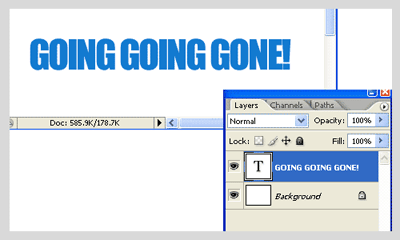
Open a new document and Type any word you please. Use a thick font for this tutorial. You should have this.
Step 2:
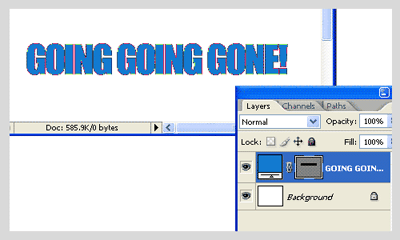
Right click on that layer and select "Convert to shape" You should have this:
Step 3:
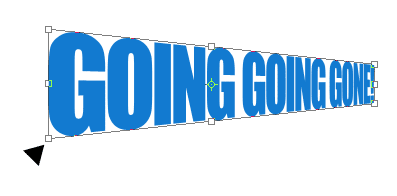
Go to the upper menu on your screen and select Edit>Transform Path>Perspective and now go over to the text on the stage and drag downward holding on to the corner of that text: like so:
That's it!
Your done! Good job...its that easy.
Now if you search my site for the "shiny floor effect" you can finish off that awesome look.

