

First of all create a new document having a black background.
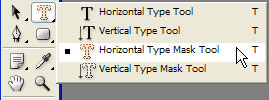
Now press Shift+Ctrl+N to create a new layer. Next select the Horizontal Type Mask Tool and create a text.Try making it look like this one.

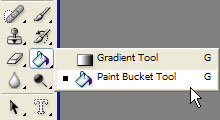
Change the colour to white using the Paint bucket tool.
You should obtain this.

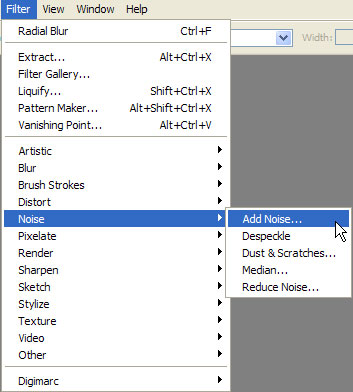
Now let's add some noise. Filter>Noise Add noise.
Use these settings.
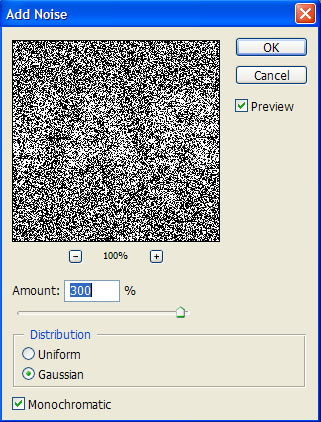
Your text should look like this.

Now go to Filter>Blur>Radial Blur .
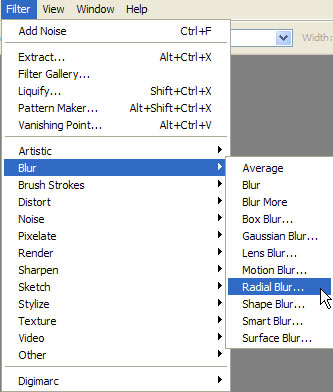
There use these settings.
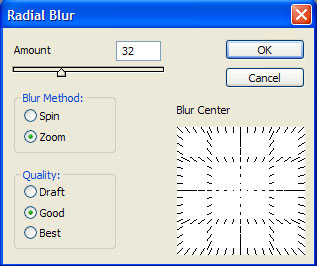
Apply this effect twice using the same settings.
You should obtain this.

Of course without the colour.For the colour press Ctrl+U to select the Hue/Saturation and there make these settings.
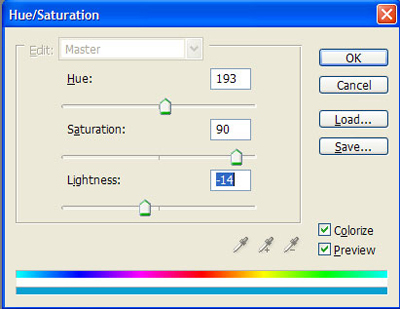
You will obtain this.
