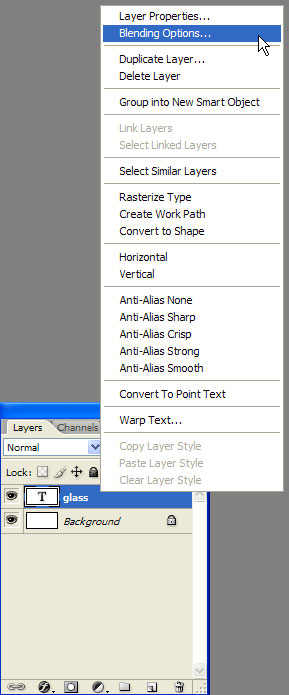
Start by creating a new document and add it a text like I did in the picture below.

Then right click the layer like in the picture and select Blending options.
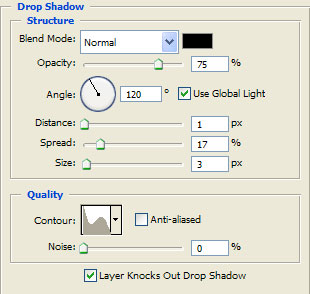
Now make the following settings:
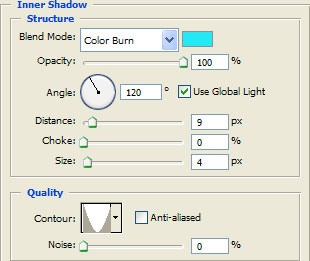
At the Inner shadow use this colour 24e9f5 .
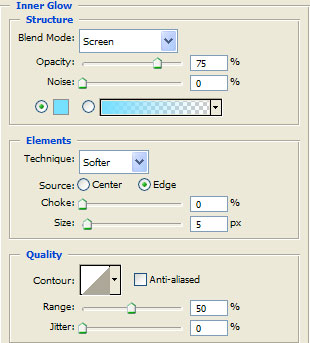
For the Inner glow select this colour 75e0ff .
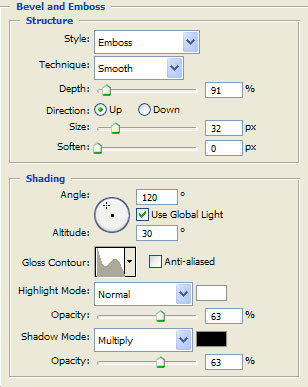
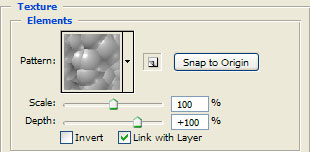
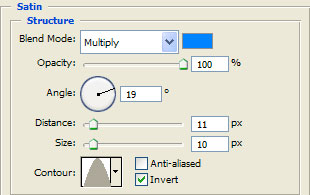
Use this colour for the Satin 0084ff .
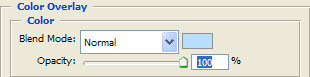
And this for the Color overlay b8deff .
And this should be your final result.