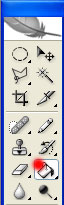
Start by selecting the Paint bucket tool. Create a black background.
Now select the Elliptical Marquee tool.
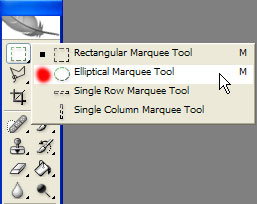
Create a circle like in the image.

Now select the gradient tool.And then the circle gradient marquee in the picture below with red.
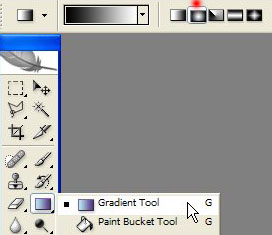
Make sure you have these colours selected for the background and the foreground.
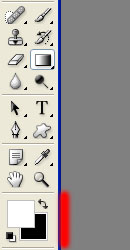
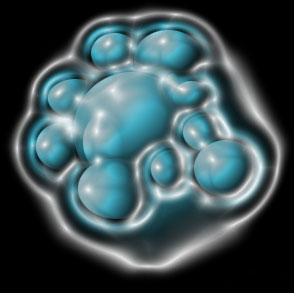
Now in the circle you created earlier draw the gradient along the diameter of the circle. Repeat the steps and create several circles.Like in the picture.
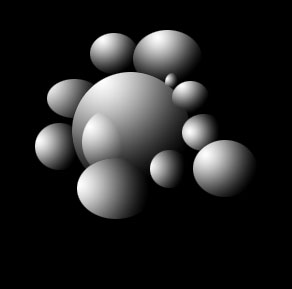
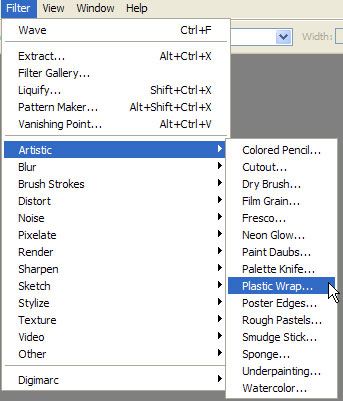
Now let's apply the plastic effect.Go to Filter>Artistic>Plastic warp.
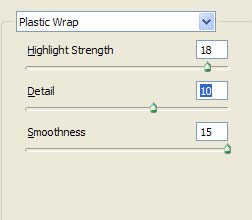
There set these values.
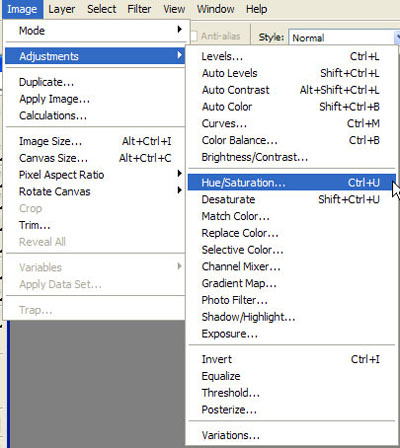
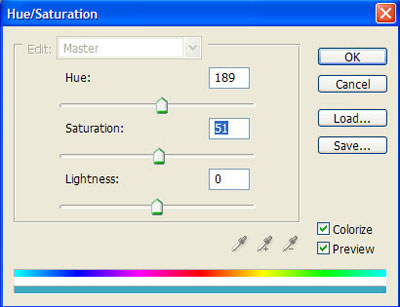
Now go to Image> Adjustments>Hue/Saturation or just press Ctrl+U.
There set these values.
You should obtain this.