

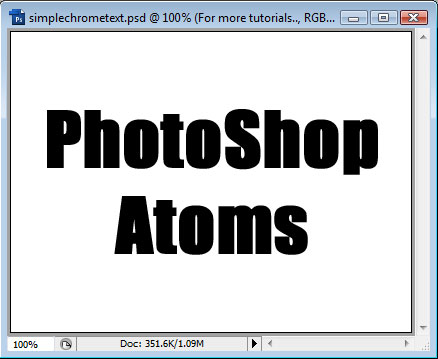
We start with a blank White canvas and then add our text. We'll do our text Black for now, for the sake of clarity:
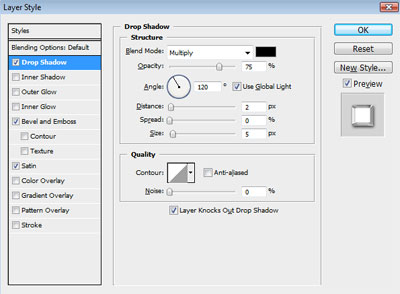
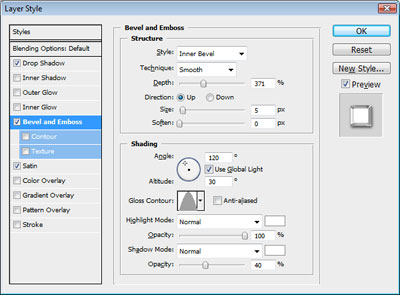
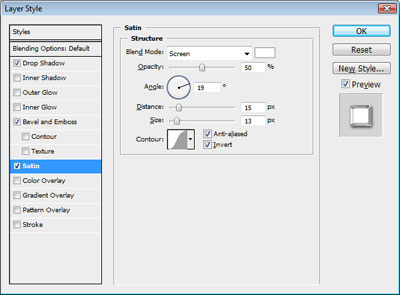
Next, we will open up the Layer Styles window for the text. We'll add a Drop Shadow, Bevel and Emboss and Satin:
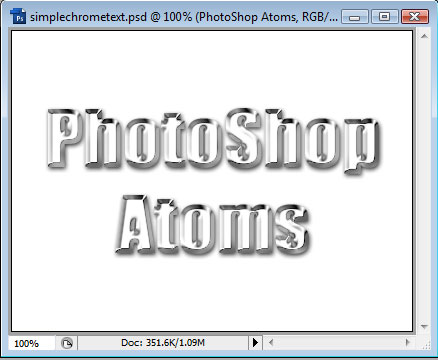
After applying these Layer Styles, we will have something that looks like this:
As a finishing touch, we should add something to the background and maybe a couple flare brushstrokes:

Remember, the exact values above may not work for you if you are using different dimensions, fonts, etc. The key to PhotoShop is experimentation, so play with the settings and see what you come up with.
