

Start off by creating a new canvas, mine is 500 pixels by 150 pixels. Find a really beautiful blocky script type of font. For this tutorial I am using Bello, an awesome font. Its not nessecary for this tutorial, though. Type out the text you want, while In the interest of keeping this short, I'm going to skip kerning and tracking and just post the text I came up with:

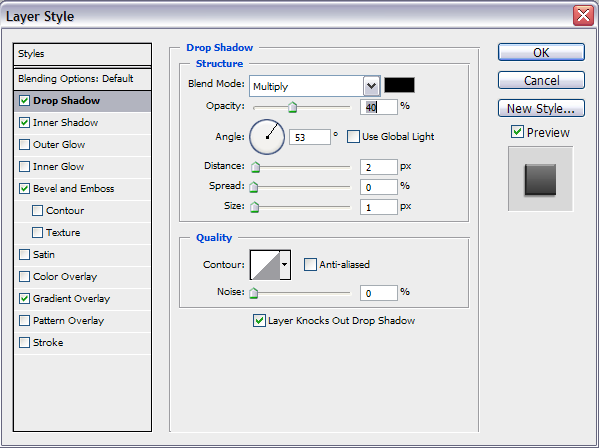
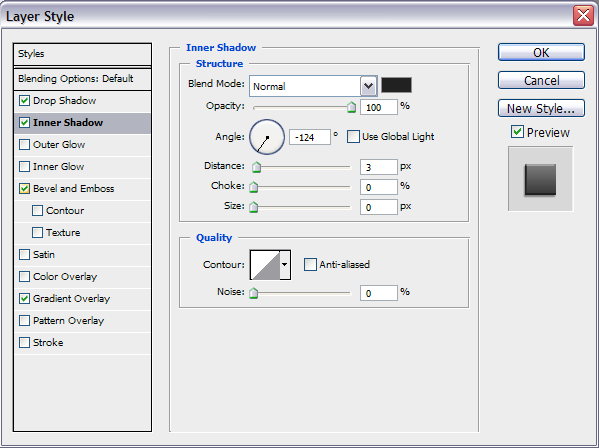
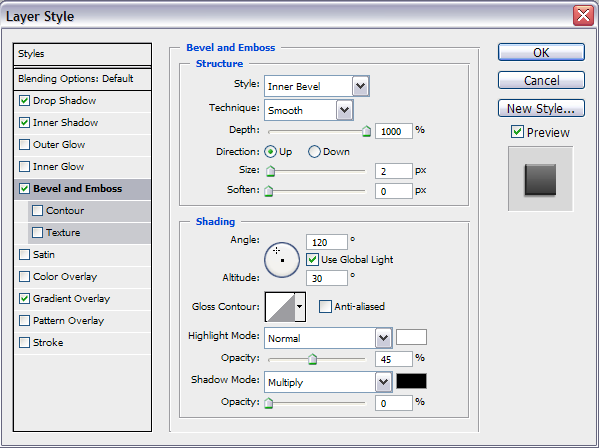
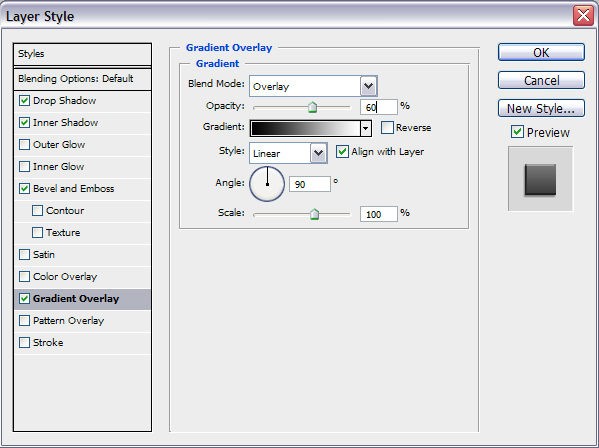
Select your text layer and go to Blending Options, and use these settings:
Drop Shadow
Inner Shadow
Bevel and Emboss
Gradient Overlay
Here is my final result:

I sincerely hope you enjoyed this tutorial, be sure to check out/bookmark his site, LookAWho, opening soon!
