

We will be using tools such as the curve tool, brush tool, level adjustment and various layer blending options.
In fact, you are able to use this method I showed you on pretty any image with daylight on.
Step 1
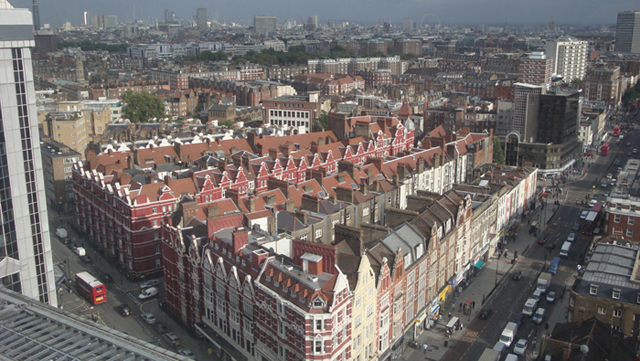
Download a copy of the following image. Load it into Photoshop.
This is a photo I took while holidaying in London, you can use it freely anywhere.
Step 2
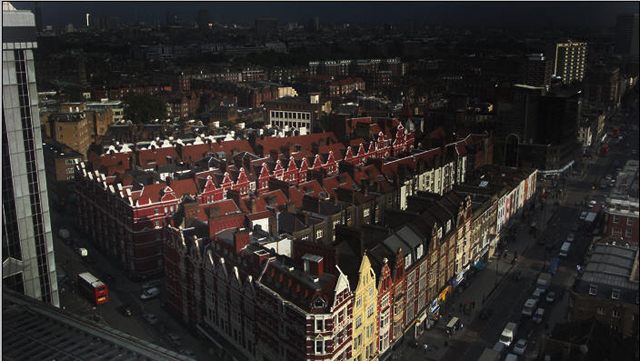
Use a big black brush with the following settings to gentle brush over the image, you should pay attention to the sky in particular.

Step 3
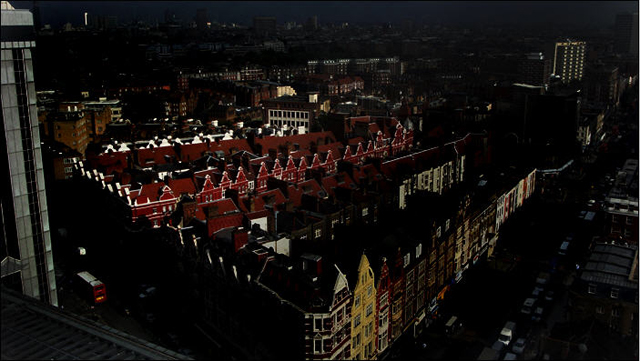
Use another big brush with a hard-mix mode, brush over the other left hand side of the buidling with red roof, this will create some extra contrast and kill some day lights. See below for detailed settings:

Step 4
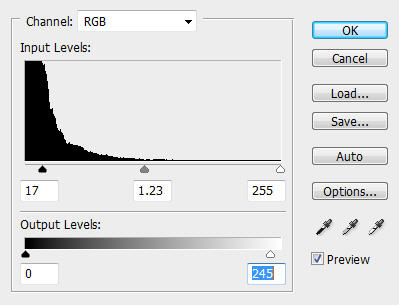
Go to Image > adjustments > level and alter the RGB level of the image a bit. See below for detailed settings:
Step 5
Double click the background layer to unlock it, duplicate this background layer once, click on the duplicated layer and go to image > adjustment > curve to adjustment the colour contrast a bit, see below for details:
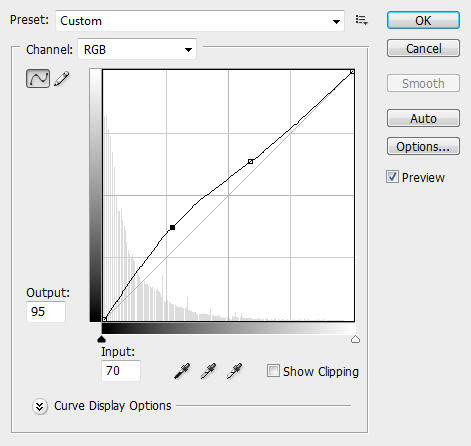
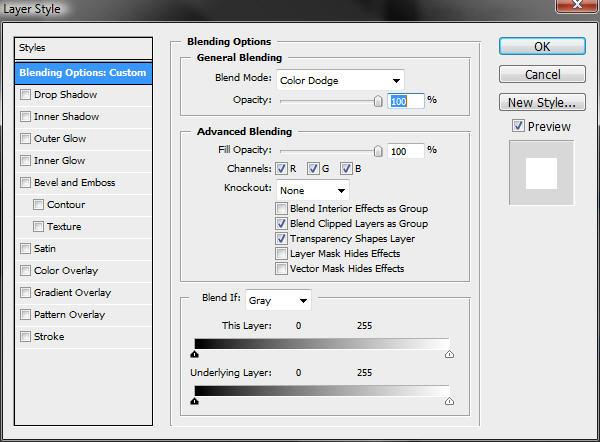
then set the layer blending option to "color-dodge" by right-click on the layer and choose "blending options". See below for detailed setting:
Step 6
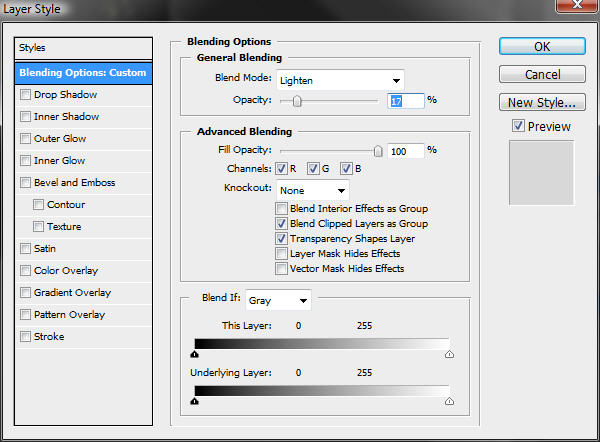
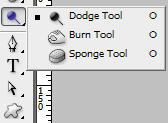
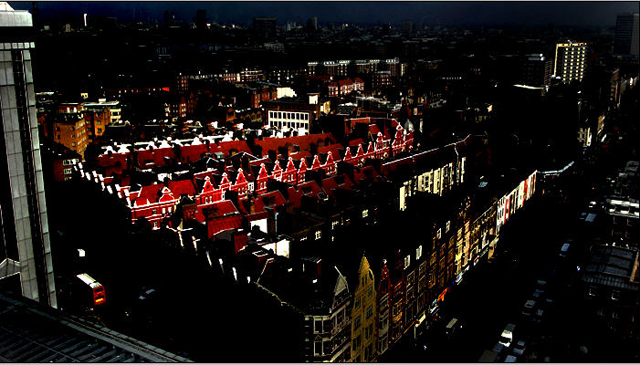
Duplicate the background layer once more and put it on top of the previously duplicated layer, change the layer blending option to "lighten" (See below) and apply some Dodge and Burn tool effects (use a big brush for overall effect, a smaller brush for fine-tune details).
You should now have the following image (or similar):
Step 7
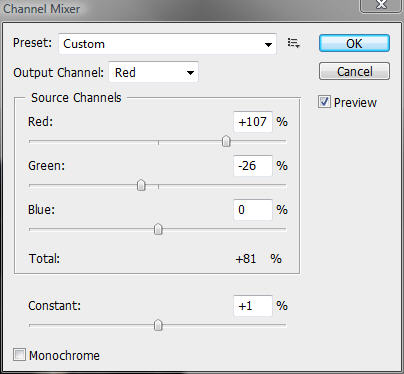
Go to image > adjustment > channel mixer and apply the following settings:
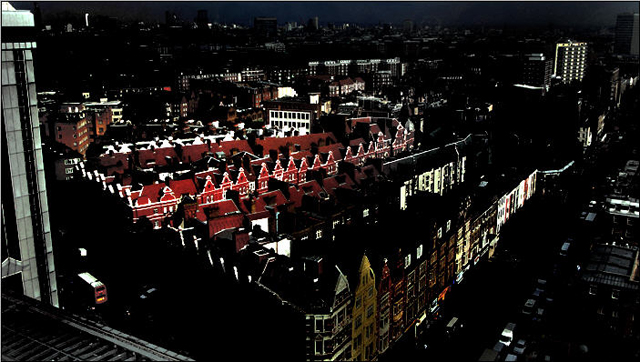
This is the image so far:
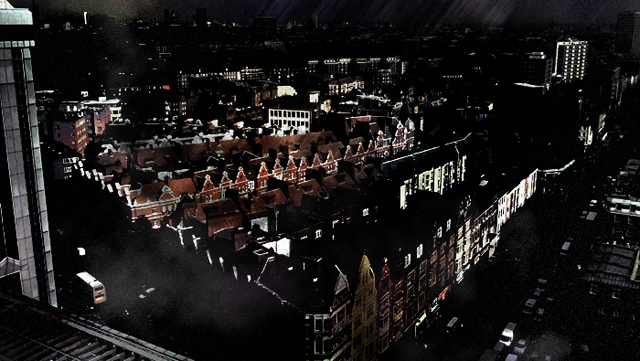
Ok, that's it for this tutorial, you can use your own imaginatios from here and add some street lighting and further adjust the existing lighting condition. Have a try!
Here is my finished work:
Hope you enjoy this tutorial!
