Step 1: Create a new document of any size and draw a circle in there.

Step 2:
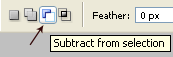
Ctrl + Click the layer to make the selection and choose the Polygonal Lasso Tool  and also choose the "Substract From Selection" Tool from the top menu:
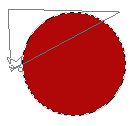
Step 3: Now cut the selection as shown in the image below
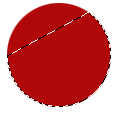
Now right click and select "Layer Via Cut". It will cut the selection from the rest of the circle.
Step 4: Now select the layer of the top part of circle and press Ctrl T and right click > Flip Horizontal ... again Right click > Flip Vertical. It will give you an image something like this.
Put the TOP part's layer above of the bottom's part of the circle.

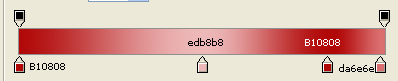
Step 5: Go to Layer > Layer Style > Gradient Overlay and choose the gradient of these colors:
Use Drop Shadow with following settings
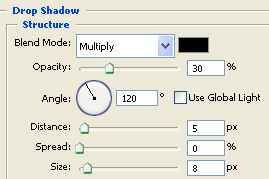
After doing the above settings, your image should look like this:

Step 6: Now adjust the top part and fit it correctly. and your folding circle is ready.
Here is my image: