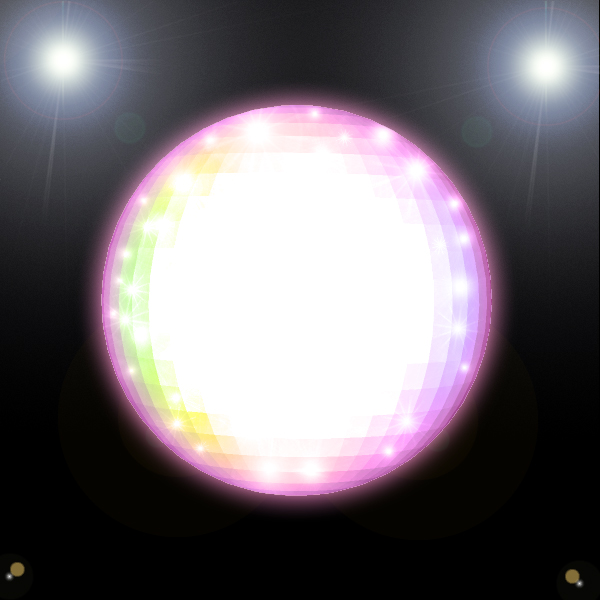
Step 1
In open document make new layer.
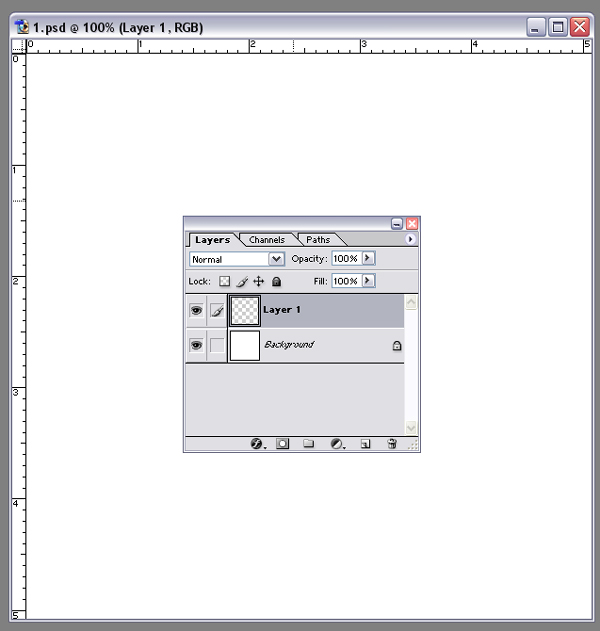
Step 2
Go to Filter>Renden>3D Transform.
First select Sphere Tool.
Then click on Trackball tool.
Put cursor on window and move like in picture.
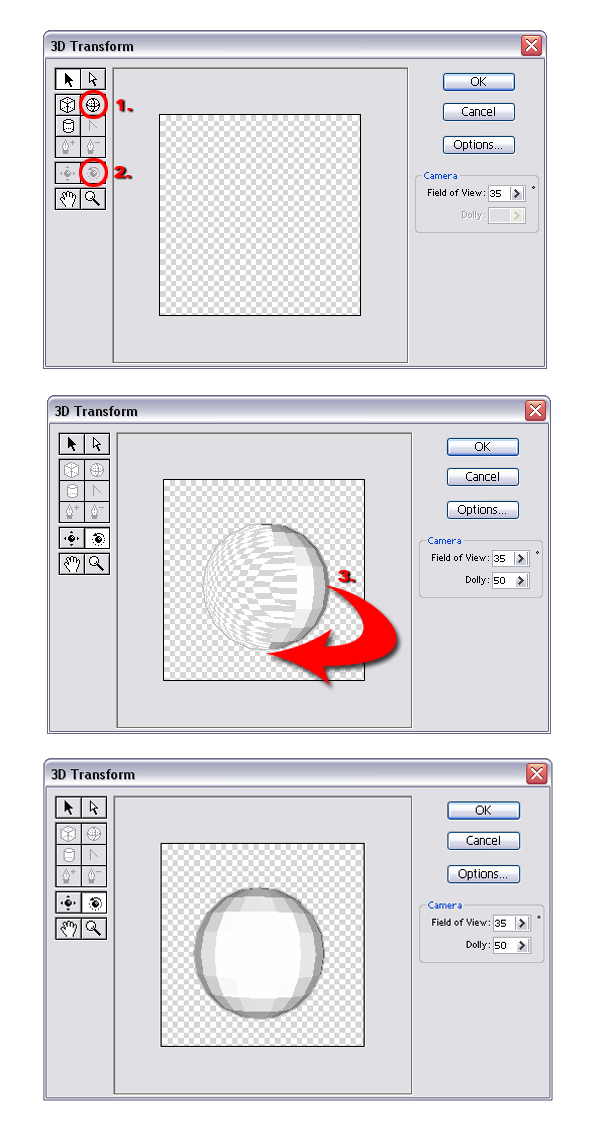
Step 3
Ok. this is how it's look when you finish. and now this is first layer.
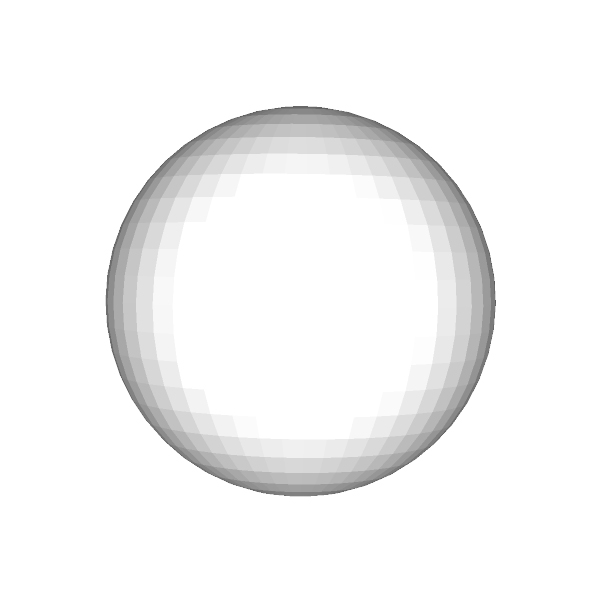
Step 4
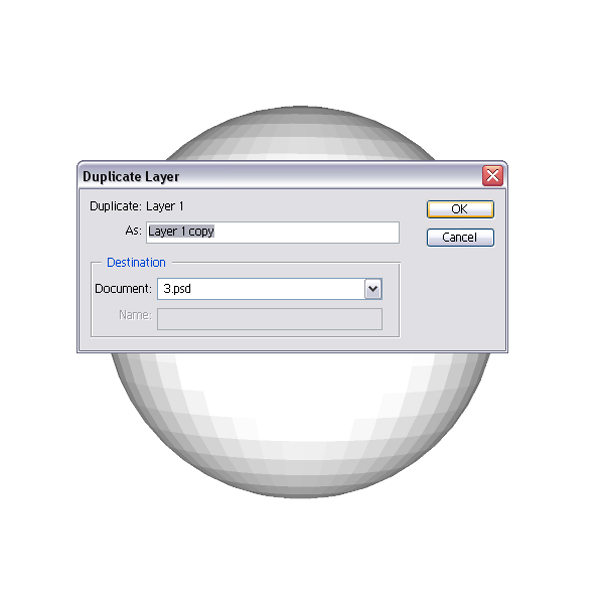
Duplicate layer.
Step 5
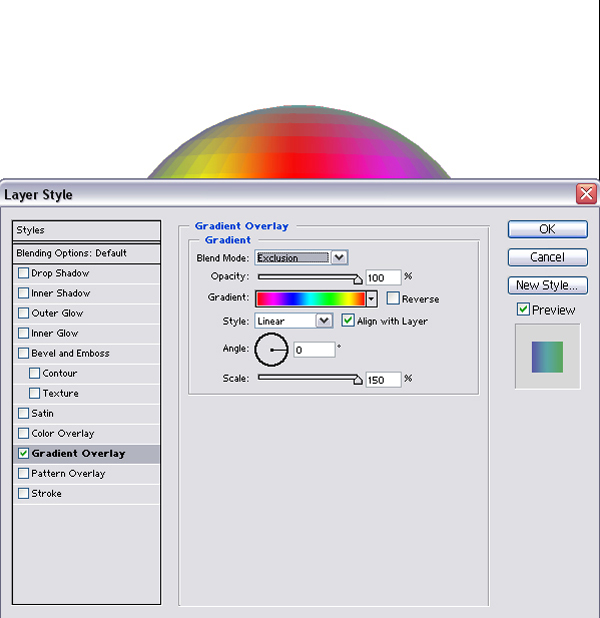
To dulicated layer use Gradient Overlay style like in picture.
Step 6
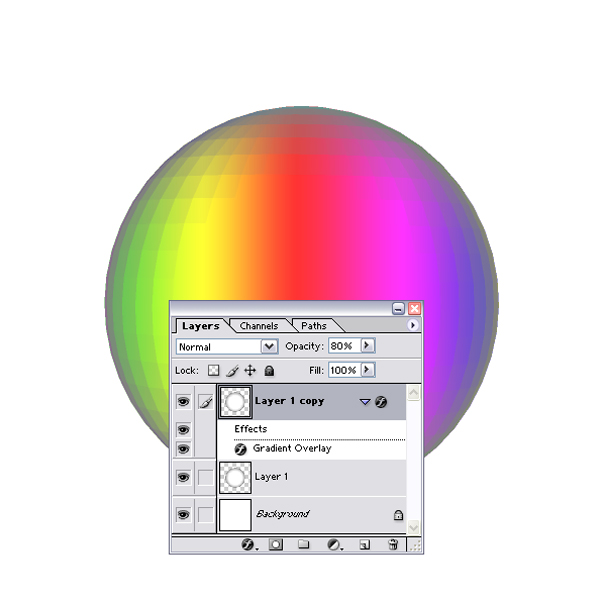
Put Layer opacity to 80%.
Step 7
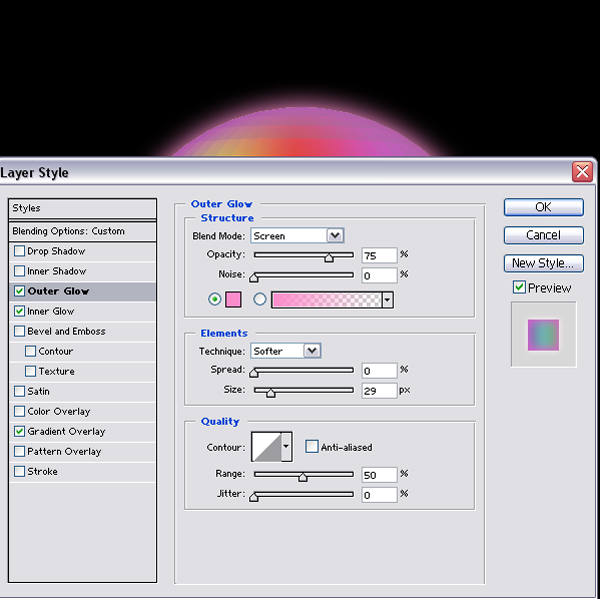
Give some Outer Glow.
Step 8
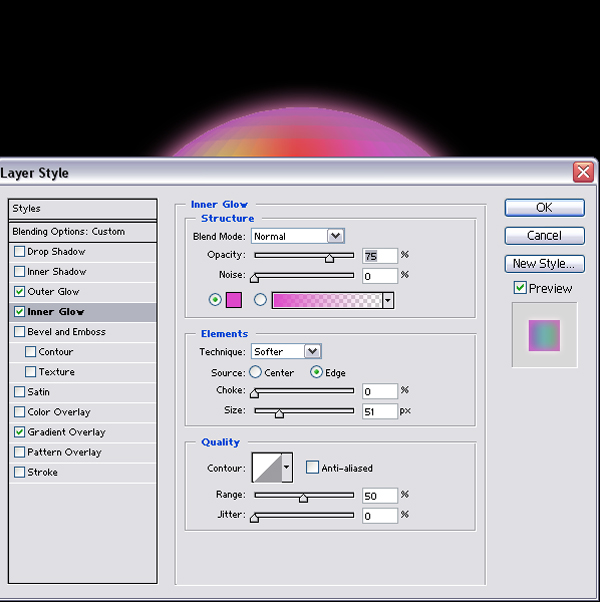
And Inner Glow.
Step 9
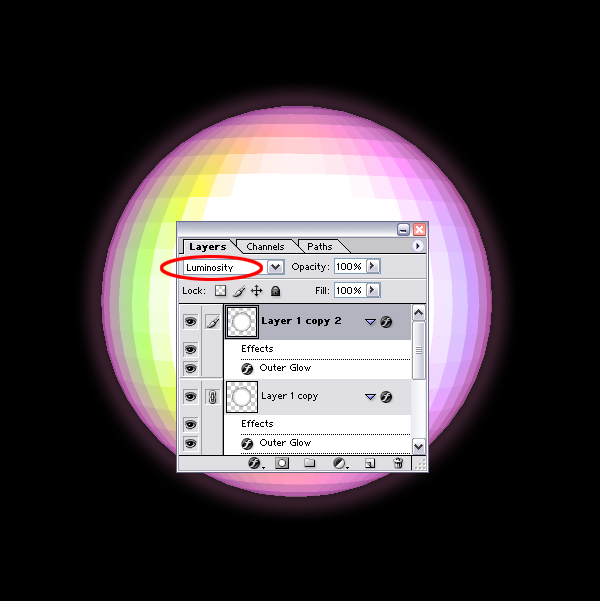
Then again duplicate second layer and give luminosity to layer.
Step 10
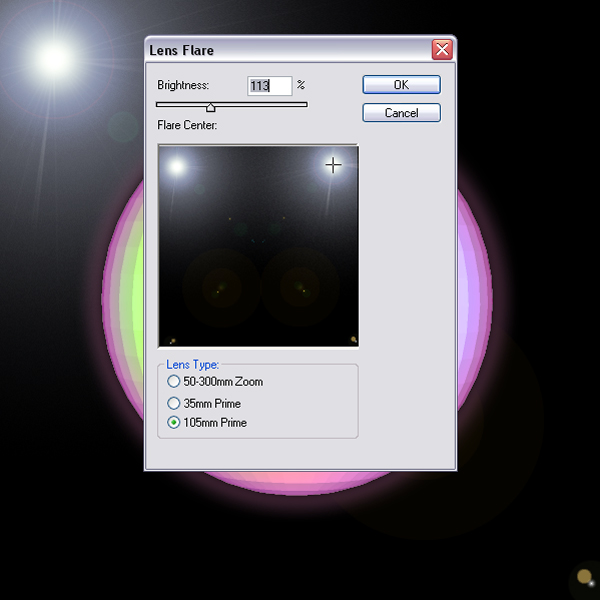
After that select bacground and give Lens Flare effect in Filter>Renden>Lens Flare.
Step 11
In the end we have nice disco ball.