Step 1
For the begining make gradient bacground with two colors.

Step 2
Use Outline Font.

Step 3
You must to rasterize your text layer.
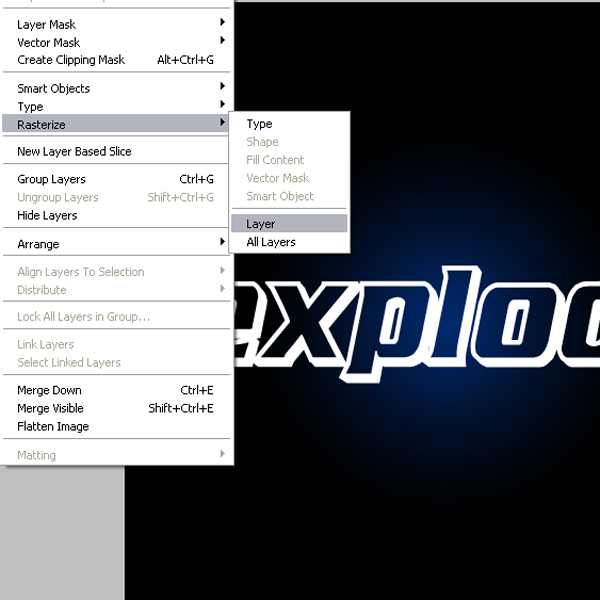
Step 4
Now go to Filter>Blur>Gaussian Blir. With this we make to text have some solar effect.

Step 5
Ok. Now go to Filter>Distort>Polar Coordinates. Do like in picture.
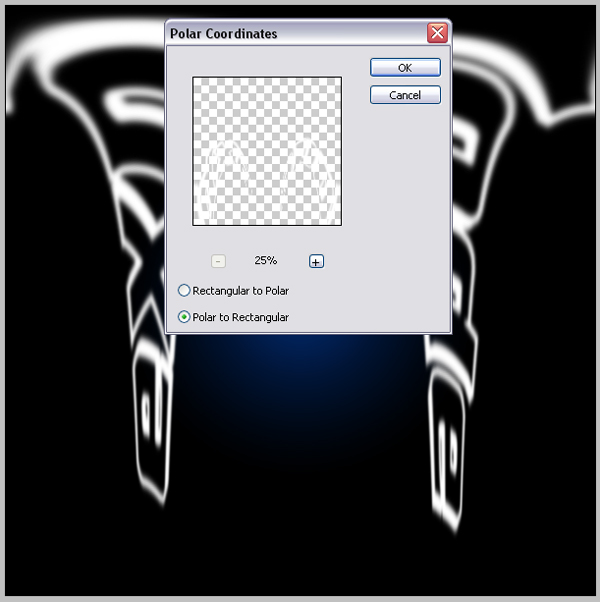
Step 6
After that rotate your text Layer 90 CCW.

Step 7
Go back to Filter>Style>Wind. Use this filter like in picture. You may use it for two-three times,depending on your image size.
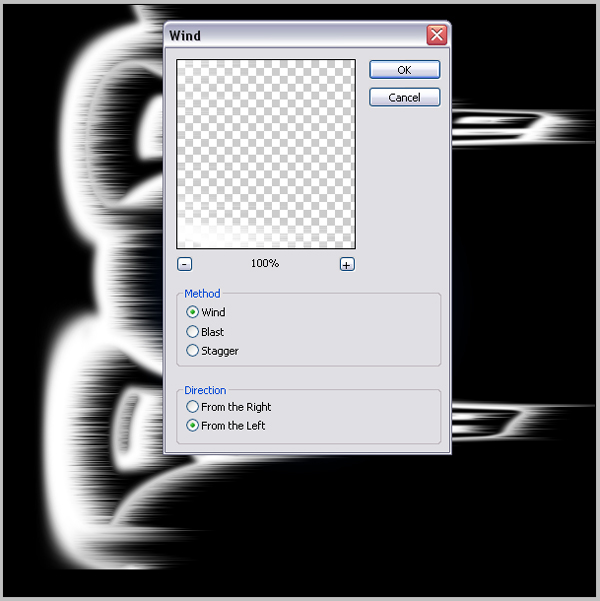
Step 8
Now rotate layer to first position. 90CW
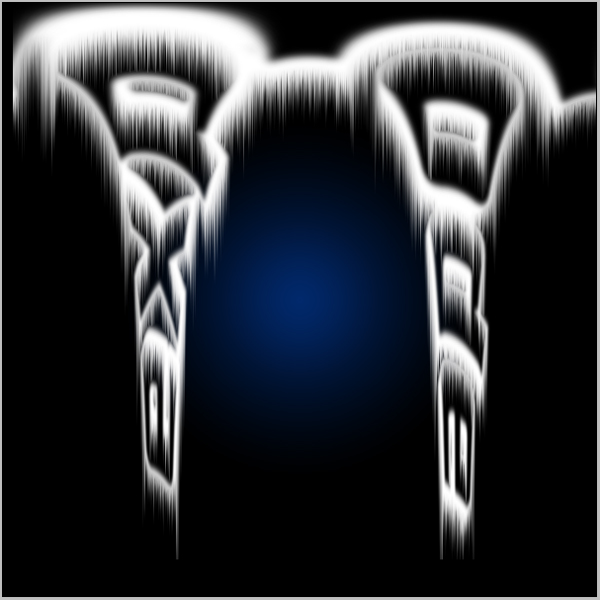
Step 9
Go back to Filter>Distort>Polar Coordinates. Now select first option. Your text layer must be back to starting position.
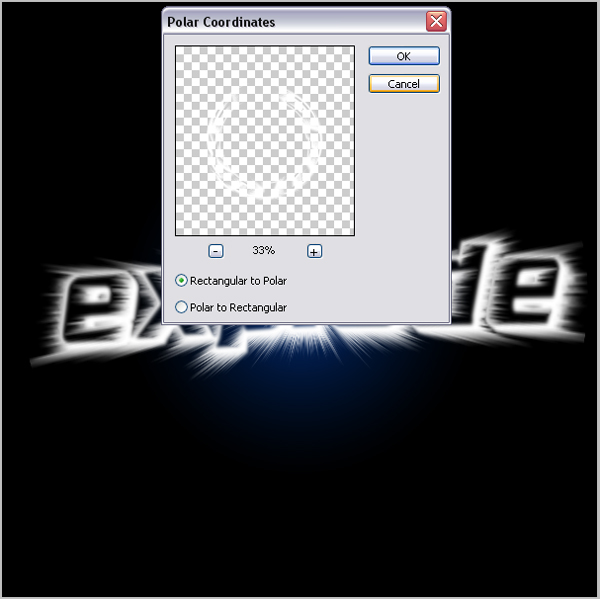
Step 10
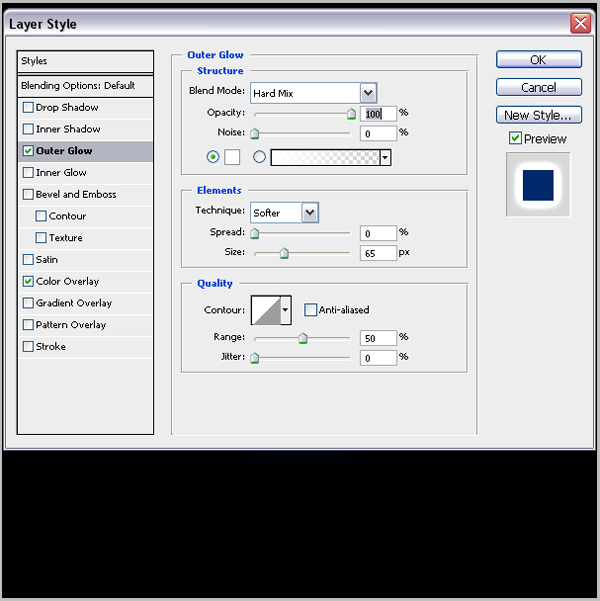
To finish this exploding text effect we go to Layer Style. You can play here with colors and Blending Options.
Here we are pick Outer Glow with Hard Mix blend mode.
Step 11
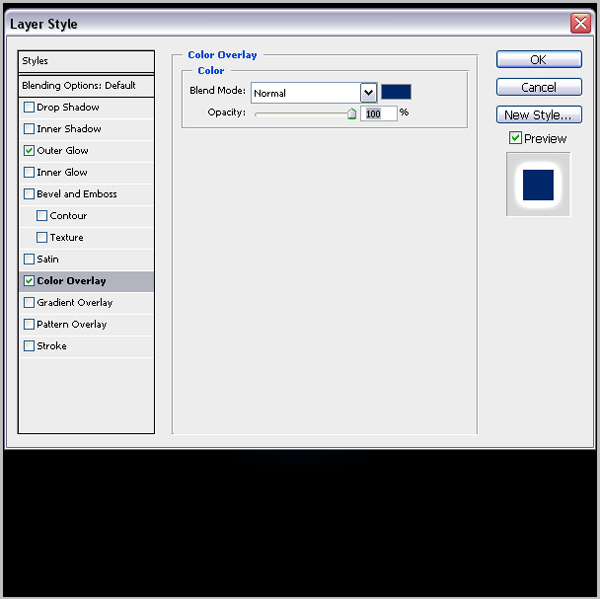
And blue color of gradient effect from the firts step of tutorial.
Step 12
And this is Exploding Text Effect.