
1. You need to make the object transparent in this project.
2. Create a new file.
View > Rulers
View > Grid > Show Grid
View > Grid > Edit Grid (10 X 10 px)
3. Drag the horizontal & vertical guide lines to get the center.
View > Guides > Lock Guides
4. Type the text on the bottom layer. Insert frame on 50 th frame to keep the text for 50 frames.
5. Create second layer. Draw the ball with green color. Convert into symbol.
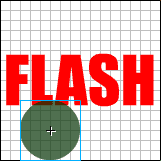
6. Animate the ball with up and down directions at the regular intervals.

7. We are going to make the ball transparent.
8. Select 10 th frame. In the Effect palette, select Alpha. Make it 70 %. The ball will become semitransparent.
9. Change the alpha values to 50, 30 & 10 for 20th, 30 th & 40 th frame. The transparency will increase with the decrease in the values.
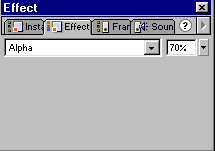
10. Bring the ball back to its original position on 50 th frame and change the alpha value to 100% .
11. Save the file
