1. Open a new document, and put some text in it. In this project, fat text works better than skinny text. I used IMPACT with all capital letters. Yea Impact. This is the hard part of the tutorial :(

2. Now we are doing the easy stuff... Go to layer - layer style - blending options an put in the information you see on the pictures below( Click Image to Enlarge ):
DROP SHADOW: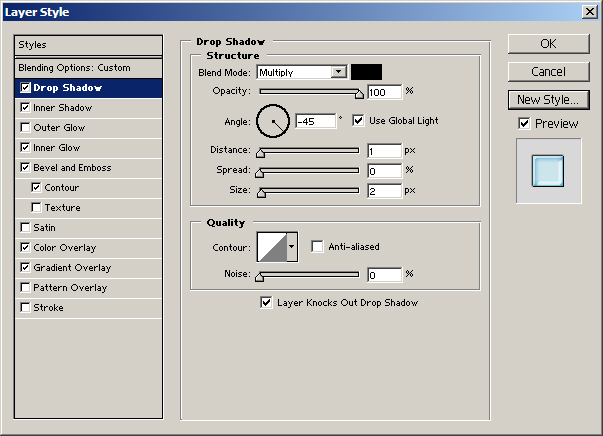
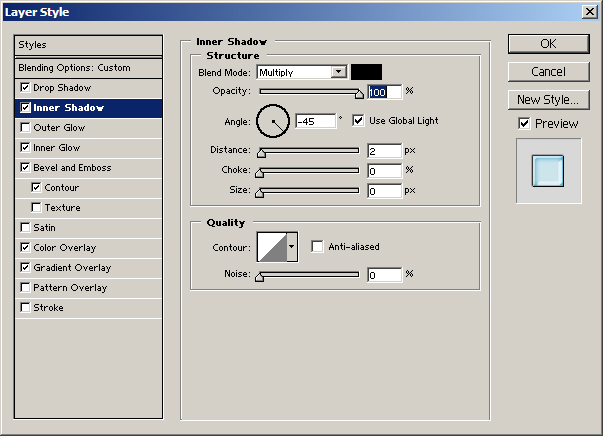
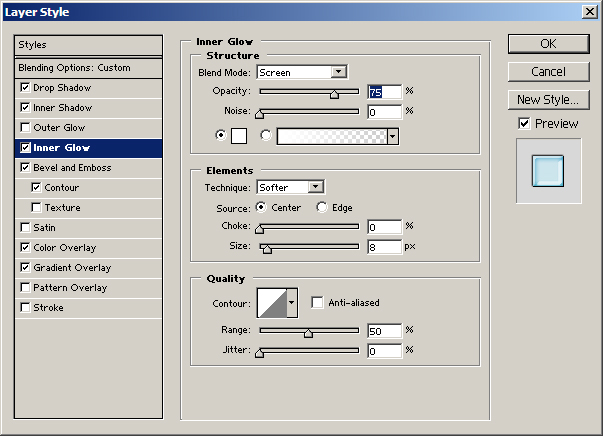
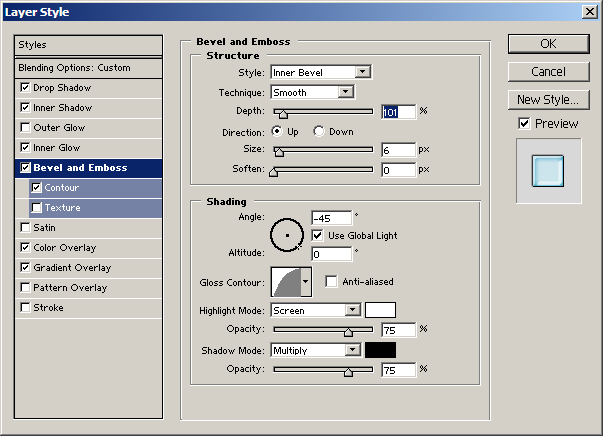
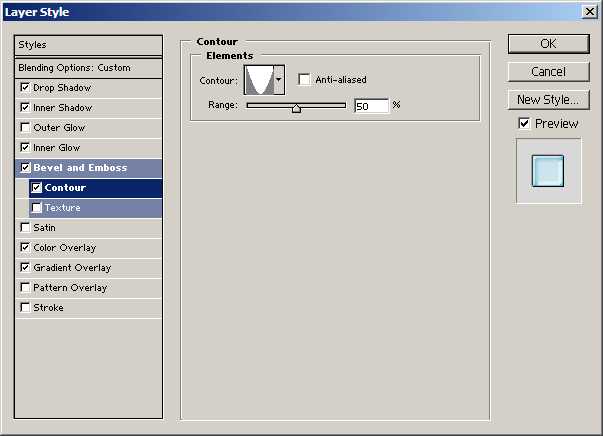
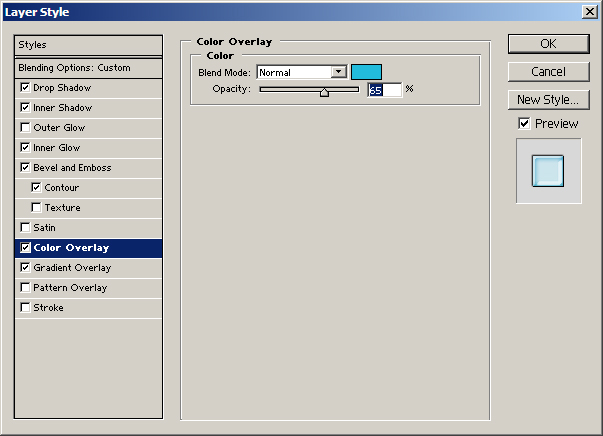
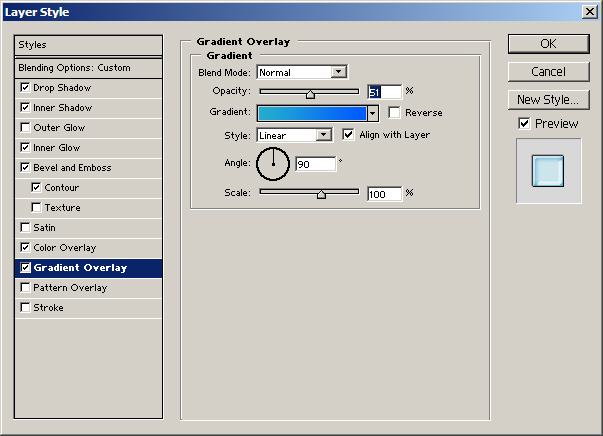
3.
That's
about it! But don't stop there!