1) Create new file with your own sizes.
2) With the Text Tool type your tex. I've use Excalibur Logotype Font.
3) Fill it with a color, like red, blue, orange, green. Please don't use black or white.
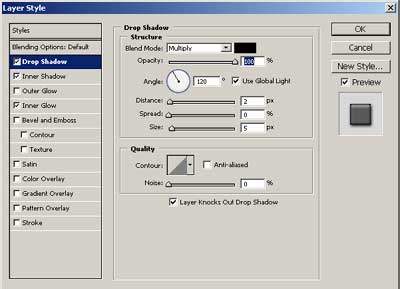
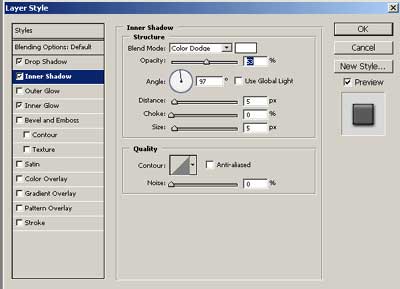
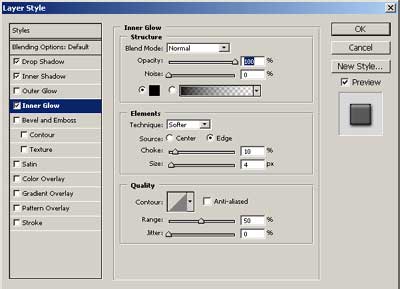
4) Use this Layer Styles (the litle "F" in the Layer Block or Layer -> Layer Style):
Now we're done. You can experiment, or put a background. Here my finals effects:

With a Background: