1) Make a new document, any size doesn't matter, just big enough to put your text onto.. Now press "D" on your keyboard to reset the foreground and background colors to black and white. Make sure your background is white.
2) Get the Type Tool and type out your word. Make sure this text is its own layer. I used Arial Black with 48pt font size:


My text layer:

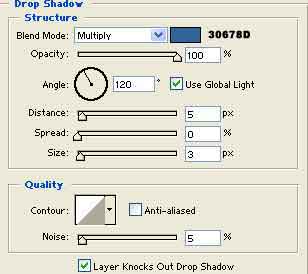
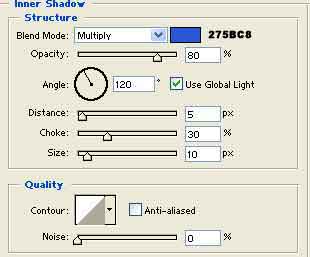
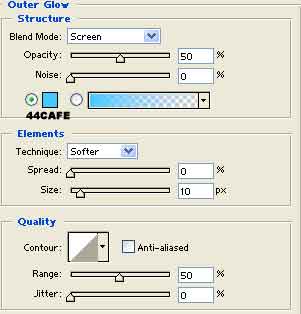
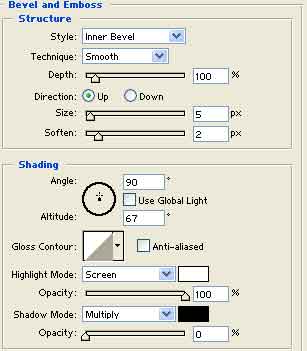
3) Right click the text layer and go to Blending Options. Apply all these styles:
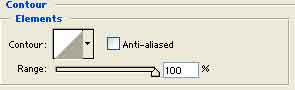
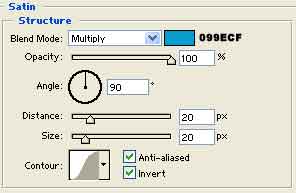
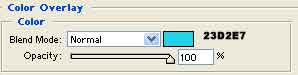
There you go, your done.