Here you will be taught how to make nice smooth edges for what ever ur making.
1) Open a new file, around 400 x 300 pixels, with a white background.
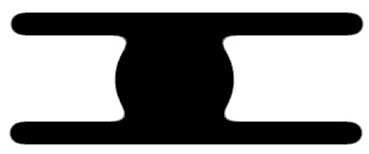
2) Now we will make our shape. This is what I made.

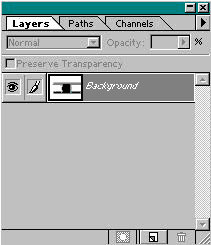
3) Now if you used multipal layers to make your shape, (skip
this step if you didn't) you have to merge all the layers together so that
everything is on top of the white layers. Goto LAYER>MERGE LAYERS or
(ctrl + e).
I used 4 seperate layers to make this. 1 white background,
1 black circle, 2 black rectangle. But I merged them all together after
I made the shape.
4) Next goto FILTER>BLUR>GAUSSIAN BLUR and blur it at about 6-9. Heres what it should look like.

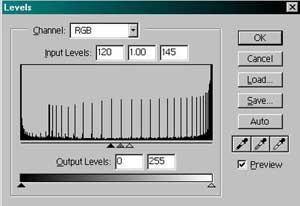
5) Goto IMAGE > ADJUST > LEVELS or (ctrl + L). use these setting. try playing around with the setting just to see what it does.
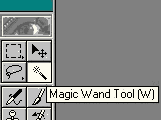
6) Now you should have this below. just delete the white background
by clicking anywhere on the white part using the magic wand tool and click
delete. enjoy.