I dont really know if there is a way to emboss the whole picture, and not just the edges.... this just takes a minute
1. Open your image, in this example we used Anistaisa

2. Click Image > Adjust > detasturate - to make it grey
3. Click Layer > Duplicate layer - rename it anything you wish.
4. Click Image > Adjust > Invert - now the dark bits are light, and the light bits are dark...
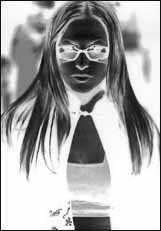
5. On the layers palate, set the opacity to 50% exactally - now you should have a blank grey canvas.
6. Grab the Move Tool and hit DOWN then RIGHTon your keyboard
(up and left will usually bevel it - but sometimes... like ours, down and right has)
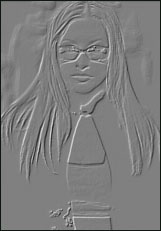
Just click layer > flatten image - to make it into one layer
