1. Make a new document, large enough to fir the text you would like to "shatter". Select the type tool, and write what you want.

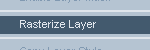
2. Right click on the text layer and select Rasterize layer.
3. Now select the Lasso tool(
 ). Left click and hold to draw randomly over the text. Don't worry what it looks like, just make sure it passes over the text at least once.

4. Now goto edit > cut. Then edit > paste. Then move the pasted image slightly down and right (or up and left etc.)

Finished. A nice effect which looks great, and even better it's simple!
