


Change the colour of the light sources in your photographs.
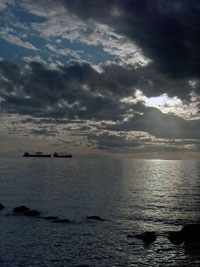 |
1. Open the image for editing. |
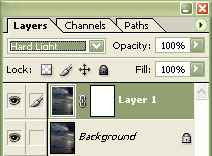 |
2. Duplicate the current layer (Ctrl+J) and add a layer mask (Layer> Add Layer Mask> Reveal All). Set the current layer's blending mode to "Hard Light". |
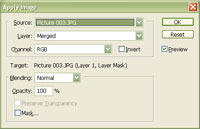 |
3. With the layer mask selected, use the "Apply Image" tool (Image> Apply Image) to apply the following properties:
Source: filename
Click OK. |
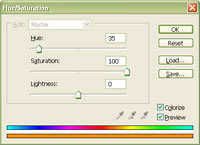 |
4. Select the top layer to deselect its layer mask and use the "Hue/Saturation" tool (Ctrl+U) to change the colour of the light in the image. Make sure that the "Colorize" checkbox is checkmarked. Click OK. |
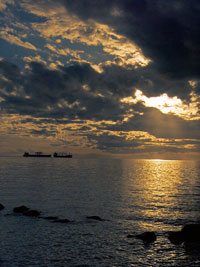 |
5. Rollover the image in this step to see the original image before this technique was applied. |
