

| Step 1 Make a new document 500x500 pixels. Make the background layer a dark grey so we can see what we are doing. Once you've done that select the Text Tool and enter in you'd like we used Arial Black size 36pt. We called ours "Hard Metal" but you can call it what ever you like. |
 |
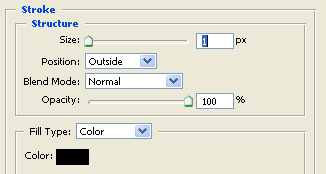
| Step 2 Now for the good effects! While still selected with the text layer, go to Layer > Layer Style > Blending Options and select Stroke. You will then need to enter in these settings:
|
 |
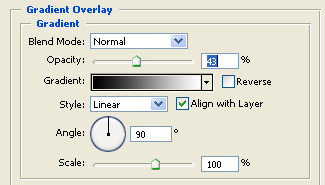
| Step 3 Now select the Gradient Overlay setting and enter in these settings:
|
 |
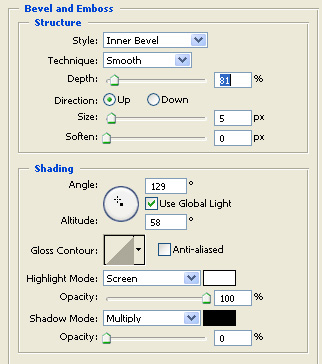
| Step 4 Now select the Bevel and Emboss option and enter in these settings:
|
 |
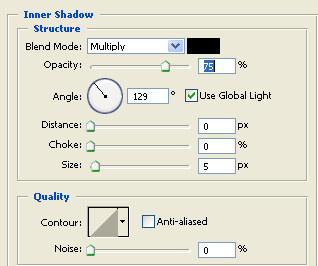
| Step 5 Now select the Inner Shadow option and enter in these settings:
|
 |
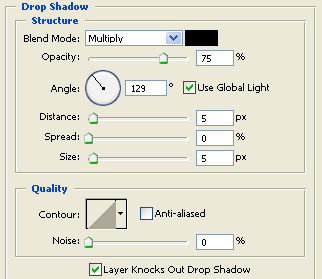
| Step 6 Now select the Drop Shadow option and enter in these settings:
|
 |
