

Coverting an image to black and white usually means reducing the saturation or just using the red, green or blue channels. By using a channel mixer, you can specify how many of each channel you want in the black and white image.
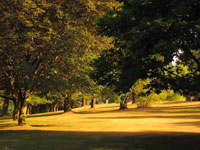 |
1. Open the image for editing. |
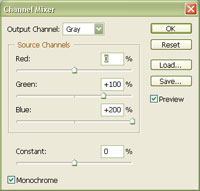 |
2. Create a new "Channel Mixer" adjustment layer (Layer> New Adjustment Layer> Channel Mixer). In the "Channel Mixer" dialog, checkmark "Monochrome" and adjust the channels. Increase or decrease the "Constant" to adjust the brightness of the image. |
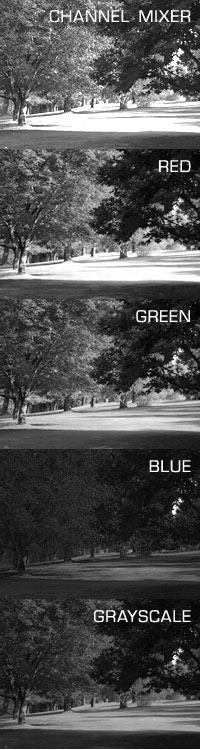 |
3. Here you can see the effectivness of using a channel mixer compared to other ways of creating a black and white image |
