1. Open a new document, I chose 375 x 90
2. Press D for Default
3. Filter > Render > Clouds
4. Filter > Pixelate > Mezzotint > Fine Dots
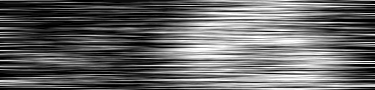
5. Filter > Blur > Motion Blur (Angle 0 degrees, distance 90) This is what it should look like:
6. Duplicate Layer and right click the layer's blending options and check on GRADIENT OVERLAY
7. Double click the colors and place your colors in 5 points (I used 076263 and FFFFFF) Press OK
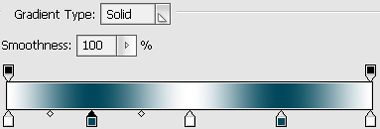
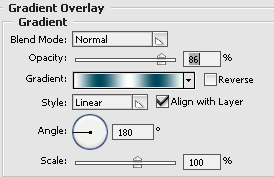
8. This is what the gradient properties I've put in, 180 degrees angle and opacity changed
9. There you have it!

10. Add a bit more decor to the metal :)