

Hello all. This tutorial will teach how to create a martian like scene:
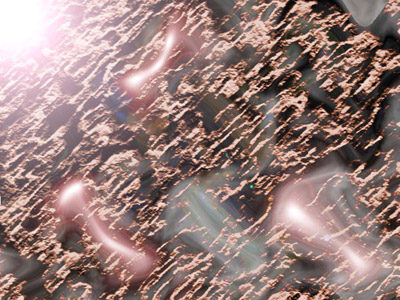
1. Open a new document (white backround - default settings).
2. Go to render --> clouds.
3. Go to render --> difference clouds and make this step 2 more times.
3. Duplicate the layer
4. On the duplicated layer (copy), go to filter --> sketch --> chrome = I put : details=1, smoothness=9, click ok and change the blending mode of the layer to screen.
5. On the bottom layer, go to render --> lens flare (50-300ZOOM, 100%) – again 3 times. This is What you should get so far:
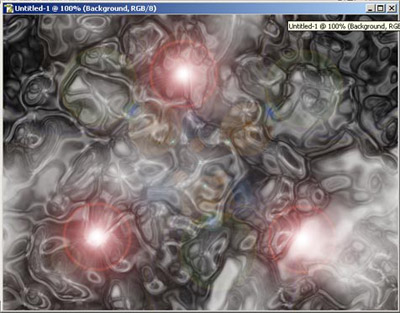
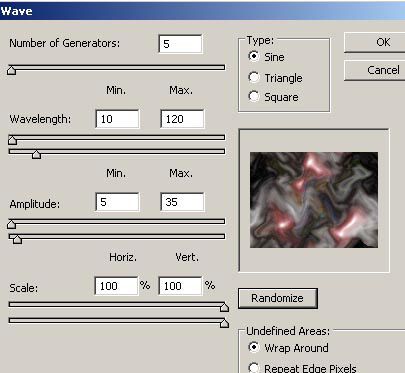
6. On the bottom layer go to filter --> distort --> wave = click on wrap around, then randomize a few times till u get something u like:
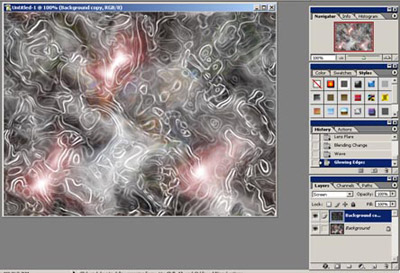
7. On the duplicated layer go to filter –-> stylize -–> glowing edges (any settings will do) edge width=2, edge brightness=6, smoothness=5.
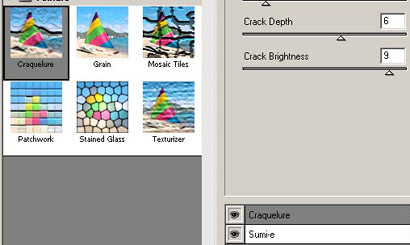
8. Go to filter --> brush stroke --> sumi-e with settings 10,2,16. don't click ok yet. Put a new layer effect (on top of sumi-e) and choose texture—craquelure. Click ok.
9. Still on the duplicated layer, press ctrl + u. check colorize and pic an orange like color (hue=30, saturation=50, lightness=9 or closest to mars..).
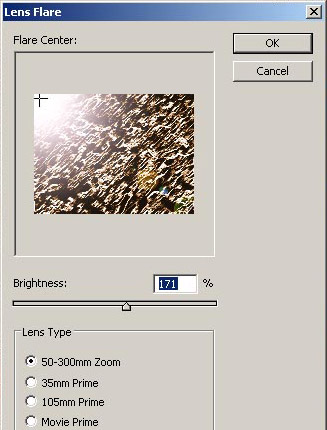
10. Go to filter --> render --> lens flare – 171% and put the plus (+) sign in the upper left corner.
11. That's it – Martian forms with sunrise.
Thanks for Viewing this tutorial.
