1.open a new 110*50 document.
2.Create a new layer and set the forground color as #338FCE
3.Select Rectangle Tool and set it's option as below :
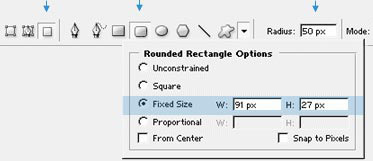 Click to enlarge |
4.Now click on the screen to create this shape [IMG]

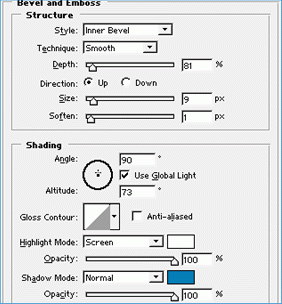
5.Open blending option of the layer and do as shown below :
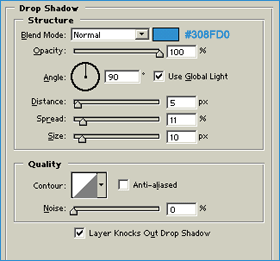
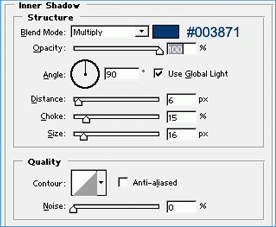
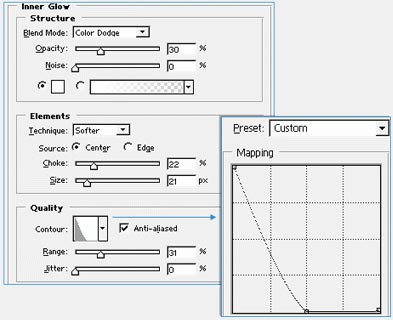
6.Click OK.You should have something like this :