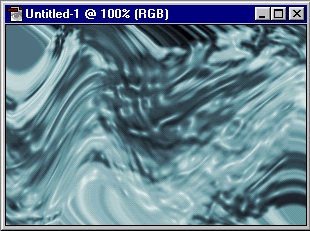
1. Make a new Document, Any size, then press CTRL + D
2. Goto Filter > Render Clouds
3. Now Filter > Sketch > Bas Relif ( Use The Settings Below )
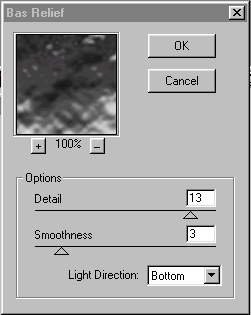
4. Now Filter > Artistic > Plastic Wrap (Settings: 15, 10, 10)
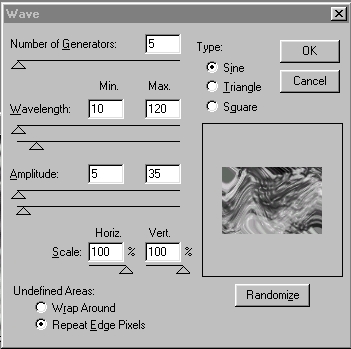
5. Then Filter > Distort > Wave (Use Settings Below)
6. Now Add Color CTRL + U and Your Done!