This text changes color when the background changes!
1. Open up and image in 1 (!!!) color (note: blue, red, yellow, etc...);

2. Add some text to the image on a new layer;

3. Then add these effects to it;
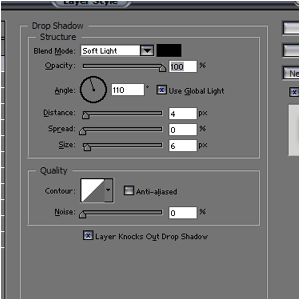
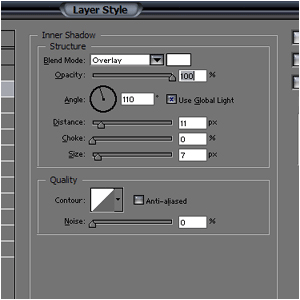
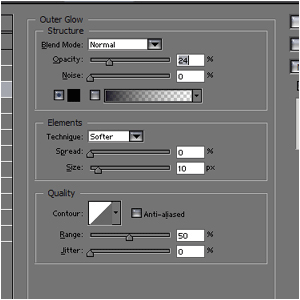
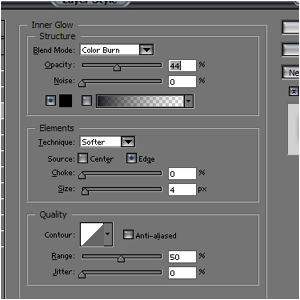
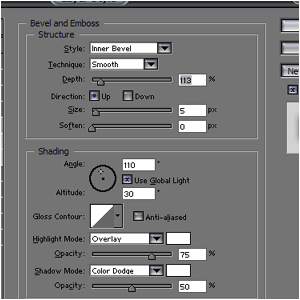
4. Lower the opacity to 30% and set the blending-mode to "Hard-Light"

And try to change the background-color...