



1. Start with a new file, size and color doesn't matter, then take the Text Tool and type in your text.

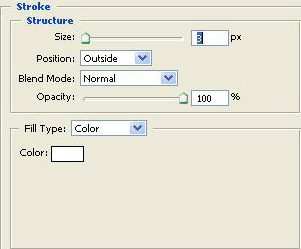
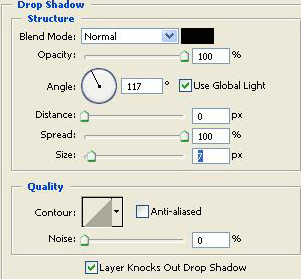
2. Go to the layers palette and right click chose Blending Options and do this settings.
And you are done!
This is what i came up with.
You can change the background, playaround with the settings and it can look like this images.


