


Hi there! Today we'll be making our own lolly pop text. It got it's name, by simply being like the swirls in a lolly pop. Hope you enjoy it.
Phase One:
Open up your image, I use 300 x 300, change your foreground to 0479F9 and your background to FFFFFF, feel free to use other colours besides the blue, but try and stick to a brighter variation.
S1: With your text tool, I use font size 72, write your text.
S2: Apply a defualt Patchwork, Filter>Texture>Patchwork
S3: Filter>Stylize>Glowing edges You image should "kinda" look like mine:
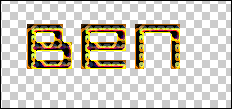
S4: Press and hold "Ctrl+i"
Phase Two:
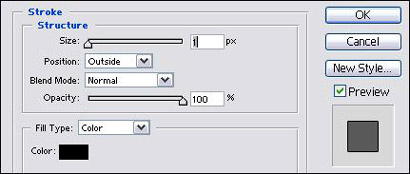
Add this Stroke:
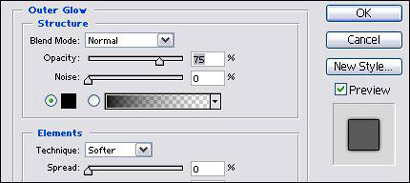
Add this Outer Glow :
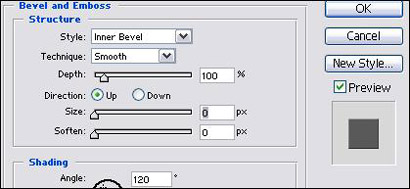
This bevel and Emboss:
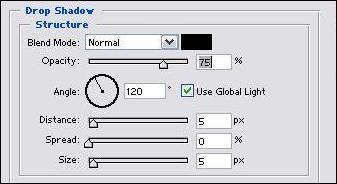
Then finally, a drop shadow:
And you've finished, it should look something like mine: Experiment with other colours, like I have with the green.
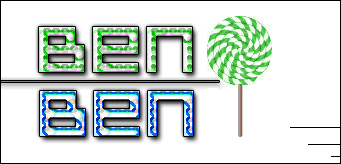
If not, don't worry, just keep on trying.
