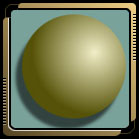
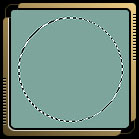
1, Make a circular selection on a new layer.
Choose your colors. Set the foreground color and set the background color The background color should be the darker color of the foreground color. If my foreground color is red then the background color should be a very dark red color.
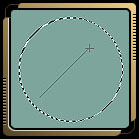
2, The settings for the gradient tool should be radial for the type of gradient and foreground to background for the gradient.
Select the gradient tool and apply a graident starting from the upper right corner of the circular selection. Hold the SHIFT key while you drag the gradient to the lower left side of the circular selection.
3, Apply a drop shadow or other effects to complete the 3D appearance.