


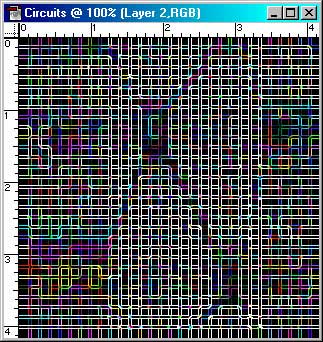
This week I'm going to show you a snappy little way to create circuit patterns. So without further ado, here we go.
1. Create a new image. Make the dimensions square, just in case you like the pattern and want to make it seamless.
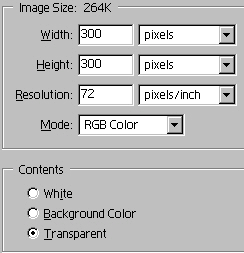
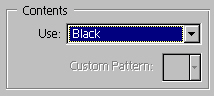
2. Fill the image with Black.
3. Create a new layer. Select the Gradient tool, and load the copper gradient in the default package. Hit the 'Reflected Gradient' icon, and change the mode to difference.

4. Starting at the top, fill the layer by drawing the gradient down to cover the entire image with the copper gradient.
5. On the same layer, start toward the left of center and draw the gradient horizontally. Don't fill it to the edge… just about ½ or 2/3 will do.
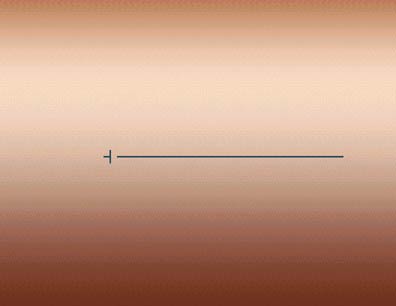
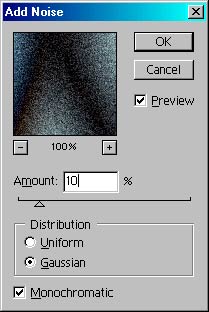
6. You should have a pretty funky pattern developing now. Difference mode is fantastic, isn't it? Ok, go to Filter>Noise>Add Noise. Enter a setting of 10, Gaussian, Monochromatic.
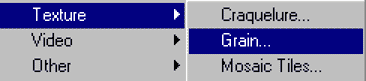
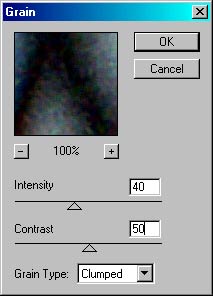
7. Go to Filter>Texture>Grain. Use the default settings (40,50), but change the grain type to clumped.
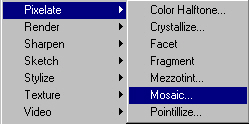
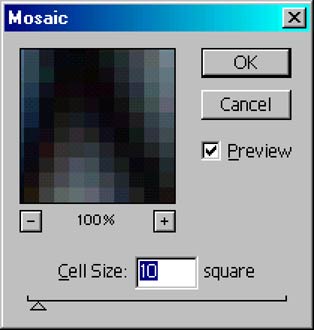
8. Go to Filter>Pixilate>Mosaic, and enter a cell size of 10.
9. Time to make some circuits. Go to Filter>Stylize>Find Edges. This will create a checked pattern, our foundation for the rest of the effect.
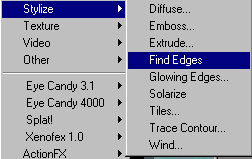

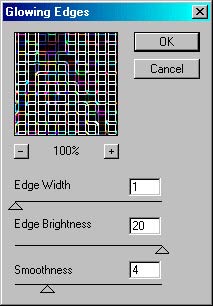
10. Now go to Filter>Stylize>Glowing Edges. Enter an Edge Width of 1, Edge Brightness of 20, and Smoothness of 4.
 Al Ward, a certified Photoshop Addict and Webmaster of Action FX Photoshop Resources (