

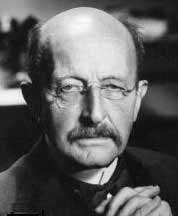
| What you'll start with: | What you'll end up with: |
 |
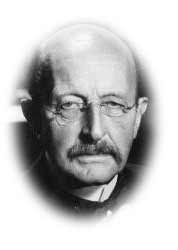 |
1. Load Photoshop and open your image. Select the Elliptical Marquee tool (or press 'Shift' and 'M' to switch to it on the toolbox). Draw an ellipse around the image making sure that it is a fair distance away from the borders.
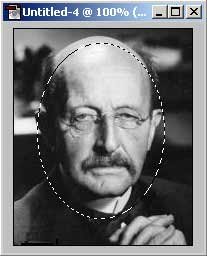
2. Go to Select, Feather and enter a value between 5 and 10. I used 6 for the above example. Press OK. Finally Go to Select, Inverse and press Backspace on your keyboard.
