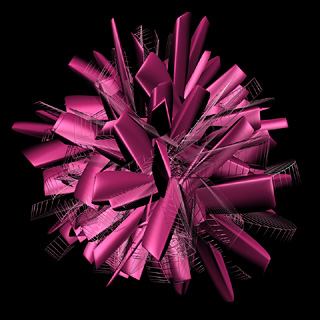
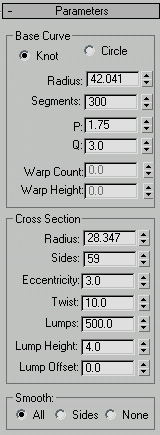
Open up 3D Studio Max. Go to create>>extended primitives>>torus knot. Use the Parameters below.
Now draw the torus knot in your perspective view. It should look very large right now. In the bottom-right corner of your screen, you should see the zoom tool. Use it to zoom out.
Now you can rotate the object, add material, and render! Here is the finished product: