1. Begin with a new file, 300x300, and with a transparent background. Now set your foreground color to black, then take the Paint Bucket Tool and fill your canvas with your foreground color.
2. Then take the Elliptical Marquee Tool and create a white circle.

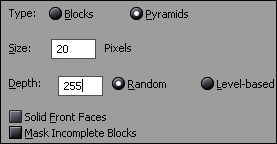
3. Now go to Filter>Stylize>Extrude, and make this settings.
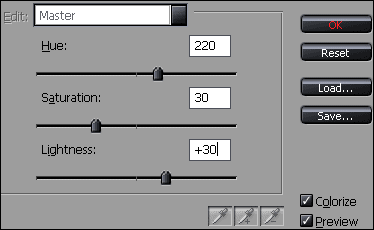
4. Then press Ctrl+U, and make this settings.
And that's it you're done! This is what I came up with.