Her
Home
Photoshop Tutorials
Drawing Techniques
Retro Stars
Retro Stars
Author: MickM.com
Author's URL:
www.mickm.com
More by this author
Added:
Sep 06, 2005
Rating:
Level:
Beginner
Software: Photoshop
Create Retro Stars used in the 80's a lot!
Search your shapes database of Photoshop for this funny star;
Turn it a little bit to the left;
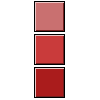
We're gonna use 3 colors.
Choose your colors first!
We are gonna use a light version, a normal version and a dark version of your color;
Make sure the star is white and start using the Polygonal Lasso-Tool;
Click on the point of one of the spikes of the star and drag it down HOLDING SHIFT!
Then fill it with the light color;
Do the same with the other spike, but then use the normal color;
Then again, but the light color; (NOTE: IF YOU LOOK AT MY IMAGES, I'M MAKING THE SELECTIONS BIGGER TO AVOID PROBLEMS)
And the last one must fit perfectly, and it must be filled with the dark color;
Do the same with a few other stars and you will have a nice image =)









 Level: Beginner Software:
Photoshop
Level: Beginner Software:
Photoshop 