Her
Home
Photoshop Tutorials
Text Effects
Chrome Text Effect
Chrome Text Effect
Author: MickM.com
Author's URL:
www.mickm.com
More by this author
Added:
Sep 06, 2005
Rating:
Level:
Beginner
Software: Photoshop
When you see rappers with the Ice around their necks... you just wanna make that too!
Create a new file with a nice background and some black text;
Select it by right-clicking on the thumbnail in the palette;
Go to SELECT>MODIFY>CONTRACT and select a nice amount depending on your text-size;
Make it look a bit like this and fill it with white on a new layer;
Go to FILTER>NOISE>ADD NOISE and set it to the max;
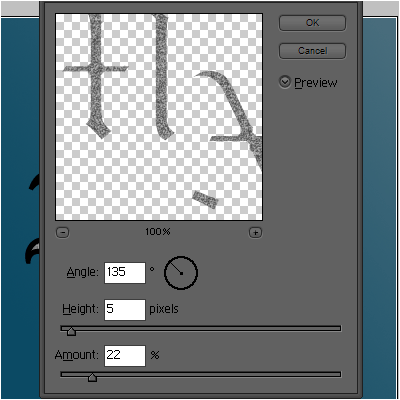
Go to FILTER>STYLIZE>EMBOSS and add these settings;
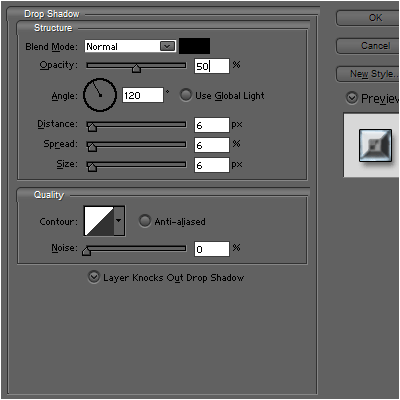
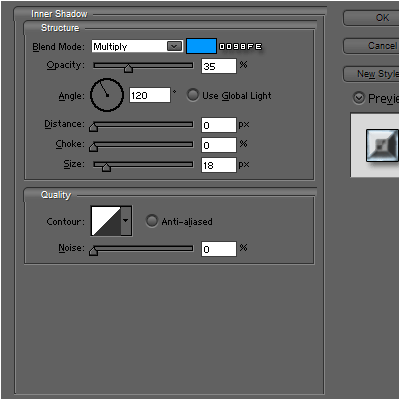
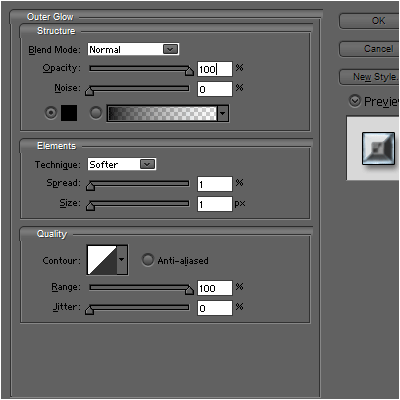
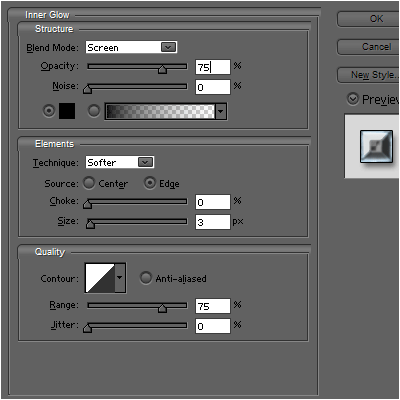
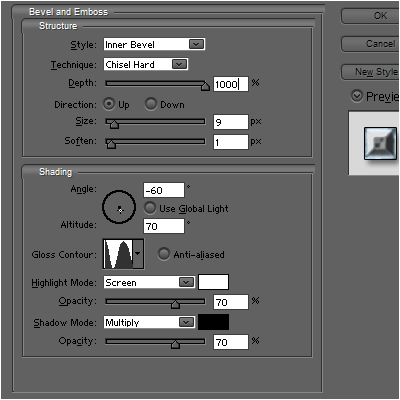
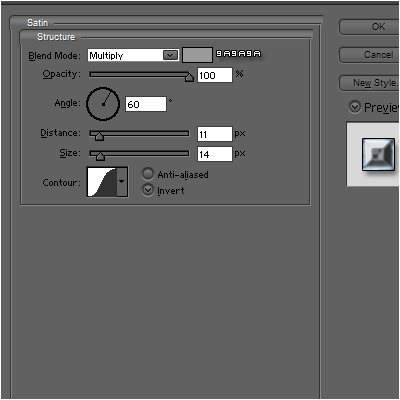
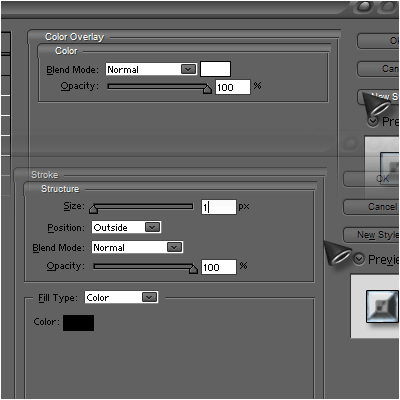
Now add these layer-styles to the black text;
Now set the blending-mode of the greyish layer to SCREEN!











 Level: Beginner Software:
Photoshop
Level: Beginner Software:
Photoshop 