Her
Home
Photoshop Tutorials
Drawing Techniques
Make a Dragonball
Make a Dragonball
Author: MickM.com
Author's URL:
www.mickm.com
More by this author
Added:
Sep 07, 2005
Rating:
Level:
Beginner
Software: Photoshop
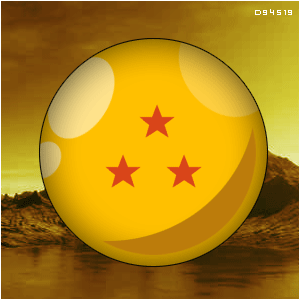
Create a simple orb-ish Dragonball from the cartoon
DragonballZ
!
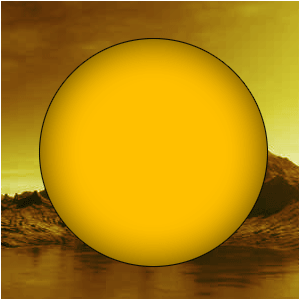
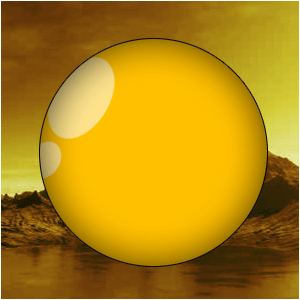
Create a new document and create a black circle;
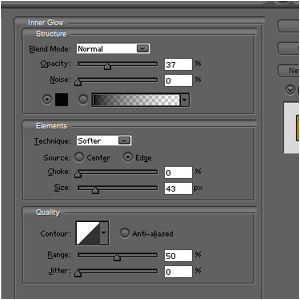
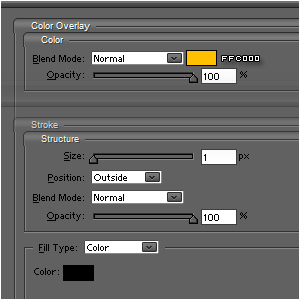
Apply these layer-styles to it;
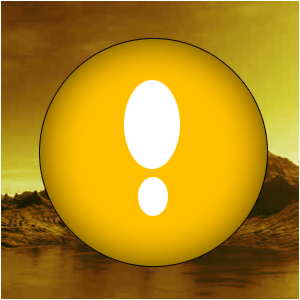
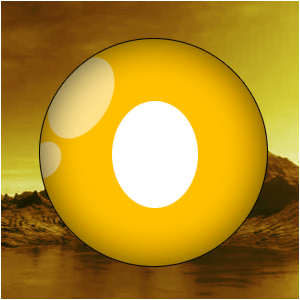
With the same tool as you created the orb, now create 2 weird egg-shaped white balls;
Press CTRL+T and rotate them a bit;
Place them near the end of the left side of the orb;
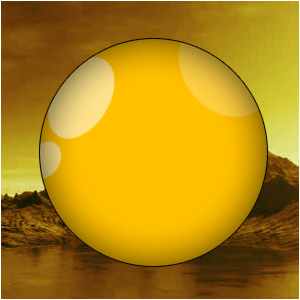
Now, lower the opacity first; (NOTE: THIS REALLY DEPENDS ON YOUR IMAGE)
Hold CTRL and click on the layer-thumbnail of the orb to select the orb;
Press CTRL+SHIFT+I to inverse the selection and press delete WHILE SELECTION THE SHINE-LAYER!!!
Do the same with a different circle, but this time, make the opacity even lower;
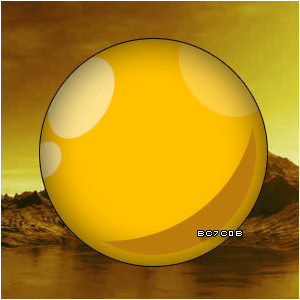
Select the dragonball again but this time go to EDIT>TRANSFORM SELECTION and make sure the selection gets a bit smaller;
Then fill it with #BC7C0B;
Now get your orb-tool and cut off a small round piece of your brownish circle;
Add some stars that are in the standard database of Photoshop-shapes and fill them with #D94519;



 Level: Beginner Software:
Photoshop
Level: Beginner Software:
Photoshop 