- To create a custom brush from part of an existing
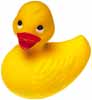
image, first select the portion of the image you want to use. Here we
selected the entire image of this rubber ducky. The area must be less
than 1000x1000 pixels, since that is the largest bruch you can make,
and objects on a white background work best.
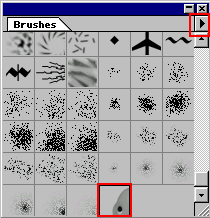
- Now go to the brushes palette submenu and select define brush. You now have your brush in the next avaiable spot.
- This works great for all kinds of repetitive things. It is great for stamping logos or your signature on your work. You can make any kind of pattern or shape and define it as a brush. Be creative!
Her
Custom Brush
Added:Sep 23, 2005 Rating:


 Level: Beginner Software:
Photoshop
Level: Beginner Software:
Photoshop
Level: Beginner Software:
Photoshop
