This tutorial will teach you how to create professional looking buttons in very little time
Step: 1
First open a new document and fill it with #323232, then select the Rounded Rectangle Tool (u)
Step: 2
Draw a button like this ( your foreground color must be #323232)
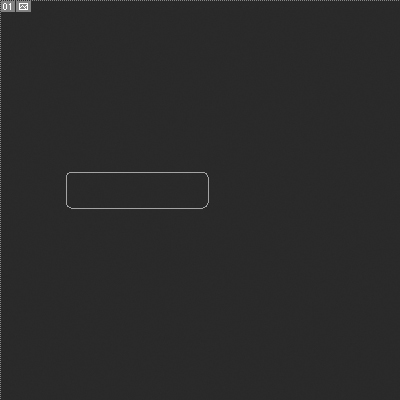
Step: 3
Now restasize the layer and go to blending options
Step: 4
Change "Outer Glow" settings according to this screenshot
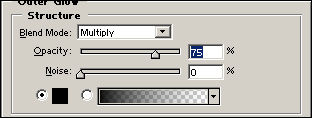
Step: 5
Change "Inner Glow" settings according to this screenshot
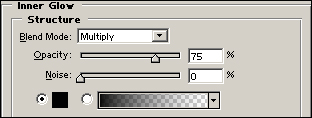
Step: 6
Now you should have something like this

Step: 7
Select the gradient tool and change your foreground color to white

Step: 8
Then hold down ctrl and click the button layer
Step: 9
Now use the gradient tool like this
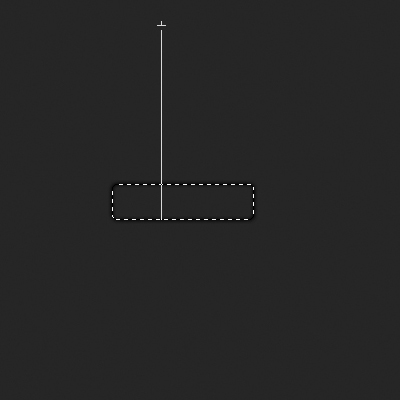
Step: 10
Now just put whatever text you want on it
Step: 11
Change the text "Blending Mode" to overlay
Step: 12
This is how it should look like