Launch poser, you should start up to this screen:
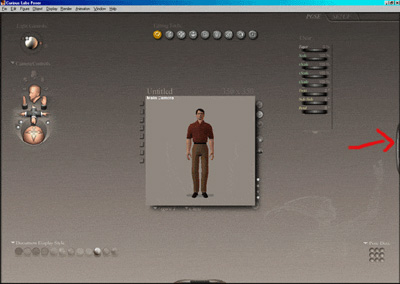
Next, Open the libraries pallet.(the one with the arrow pointing to it) It has all of the preset poses in it, including the walk cycle which we will be applying you our character who is on the stage.
Then, click on the "poses" button and then click on the down arrow at the top of the rollout, under the "poses" button. When the context menu opens, select "walk designer"(towards the bottom of the menu)
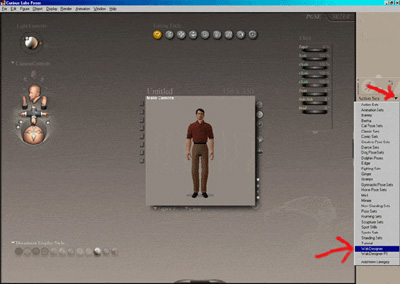
When walk designer opens, select any walk cycle that you like and click the "apply library preset" check button. This will apply this walk cycle to your character. Notice the change in the character after you apply the preset?
Now, Open the Animation Timeline Pallet at the bottom of the screen.
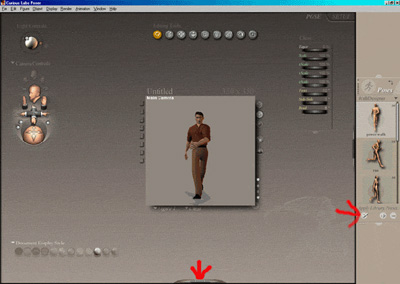
Now you can click the play button in the Animation Timeline Pallet and watch your character in action.
This concludes the tutorial, but if you would like to experiment, give it a go. Try playing with the walk designer (Window menu->walk designer) you can create some funny looking walks.
Anyway, have fun with it and keep experimenting.
