In this tutorial you will learn how to make a nice chrome screw in Adobe Photoshop.
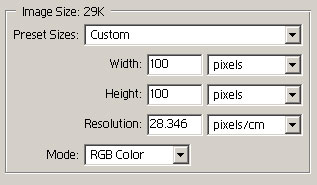
Now select the Elliptical Marquee Tool and make a circul as shown below.

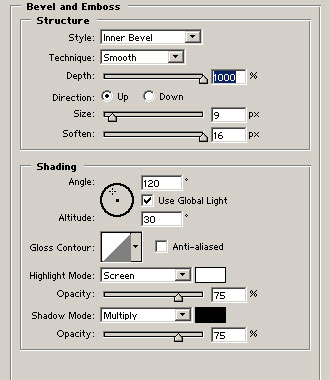
Now, after making this as a new layer, you have to go to Layer -> Layer style and set the blending options
as shown below.
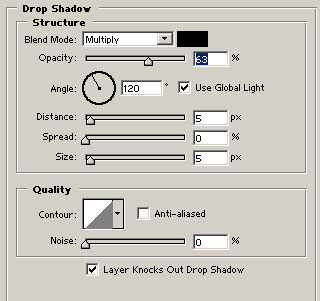
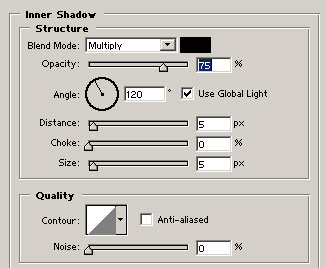
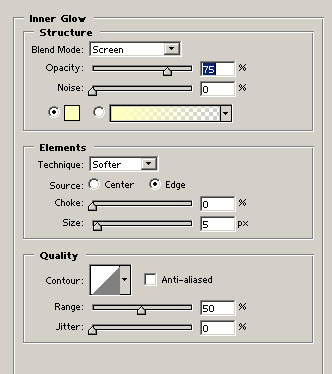
Now select the rectangular marquee tool and make a selection similar to the image below.

Now Fill this new layer with 65% black. Keep your selection and move it down for 2 pixels using the arrow keys. Then create a new layer and fill the selection with 100% white. Now move
it up for 2 pixels and fill it with 70% black.
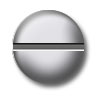
Now you're done!
Her
Metal Screws
Added:Nov 08, 2005 Rating:


 Level: Beginner Software:
Photoshop
Level: Beginner Software:
Photoshop
Level: Beginner Software:
Photoshop
