In this tutorial you will learn how to create a simple but effective text effect in Adobe Photoshop.
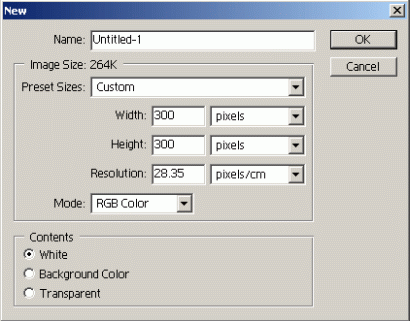
1. Create new document in Adobe Photoshop: width 300, height 300.
2. Fill the background wigh black.

3. Type any text you wish.

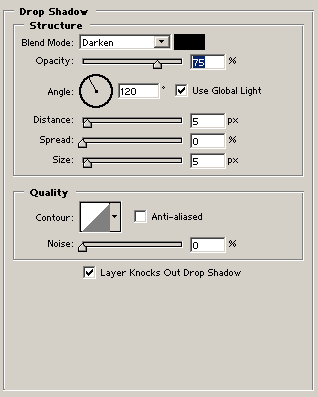
4. Right click on the text layer and go to Blending Options>Drop Shadow.
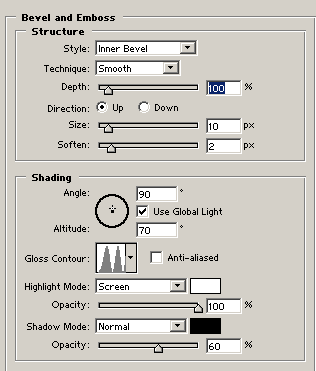
5. Use the following settings to Bevel and Emboss.
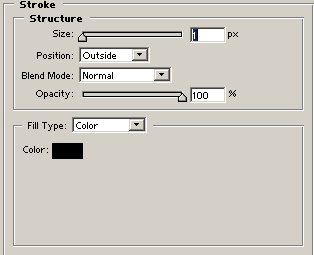
6. Add Stroke:
7. Final Result