

Step 1: First choose the Elliptical Marquee tool  and
make a circuit:
and
make a circuit:

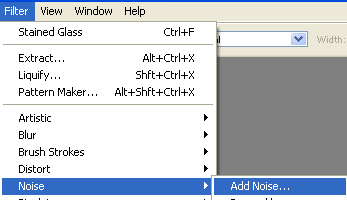
Step 2: Now choose Filter > Noise > Add Noise:
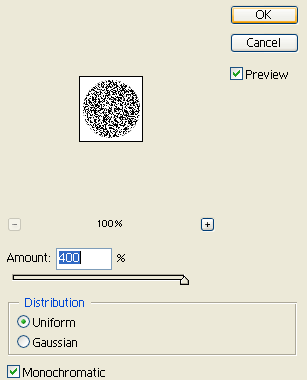
Step 3: Set these options:
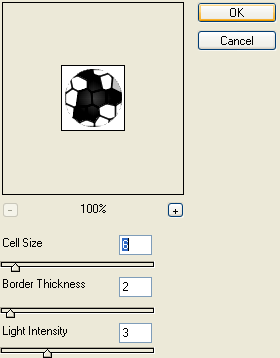
Step 4: Choose Filter > Texture > Stained Glass:
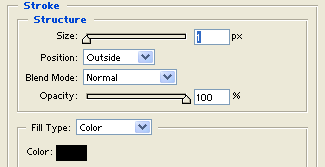
Step 5: Right-click the shape and select Blending Options > Stroke:
Step 6: Now it should look like this:

