


Step 1: First click on Ellipse tool:  and
make a circul look like this.
and
make a circul look like this.

Step 2: Then right click on the circul with these Options:
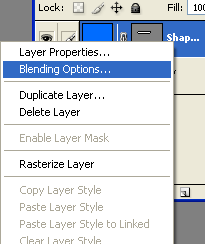
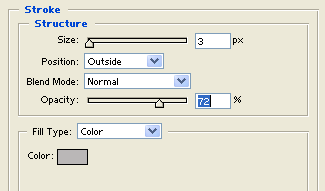
Step 3: Select Stroke with these Options:
Step 4: Click on Rectangular Marquee tool:  and
make a circul
and
make a circul

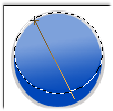
Step 5: Click on Rounded Rectangular tool and holding left mouse button move from up to down with these options
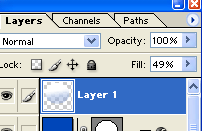
Step 6: Then change the opacity of Layer 1 as shown below::
Step 7: Then click on Ellipse tool and make two circul look like this: 

Your Orb Button is finished.
